18
PRO PLUS 3 OPERATING MANUAL
© 2002 Design, 2012 Doc. No. 12-5332-r01 (11/19/12)
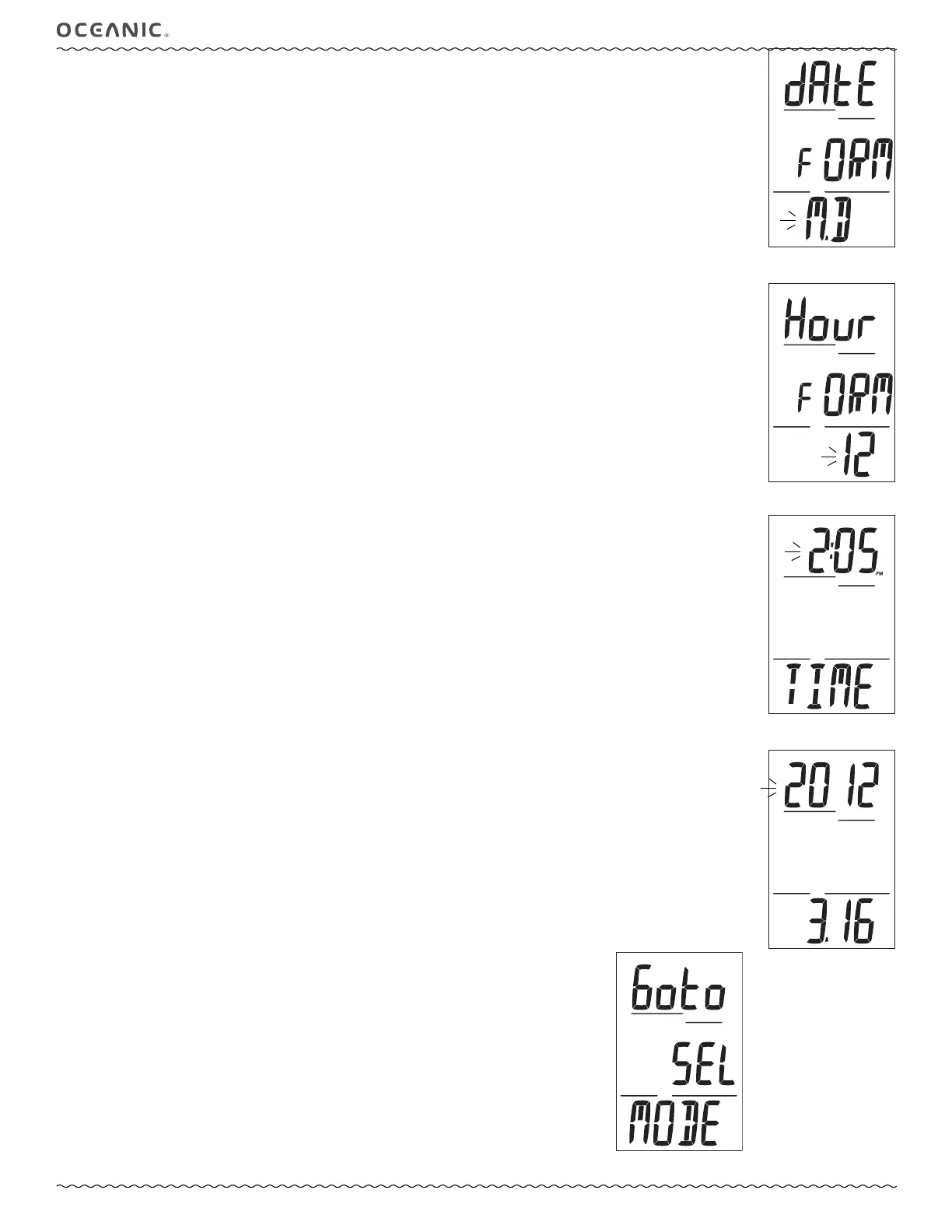
Set Date Format, information includes (Fig. 37):
Date Format establishes the location that the Month (M) digits are displayed relative to the Day (D) digits, on the left or right.
> Graphics dAtE FORM.
> Graphic M.D (or D.M), flashing.
• A (< 2 sec) to toggle between M.D and D.M.
• S (< 2 sec) to save the setting and access Set Hour Format.
• S (2 sec) to step back to Set Time Lead-in.
Set Hour Format, information includes (Fig. 38):
> Graphics Hour FORM.
> Graphic 12 (or 24), flashing.
• A (< 2 sec) to toggle between 12 and 24.
• S (< 2 sec) to save the setting and access Set Time.
• S (2 sec) to step back to Set Date Format.
Set Time, information includes (Fig. 39):
> Graphic TIME.
> Time of Day (hr:min), Hour digits flashing, with AM (or PM) icon if 12 Hour Format.
• A (hold) to scroll upward through Hour set points at a rate of 8 per second from 12: (AM) to 11: (PM), or 0: to 23: if 24
Hour Format, in increments of 1: (hr).
• A (< 2 sec) to step upward through Hour set points one at a time.
• S (< 2 sec) to save the Hour setting and flash the Minute digits.
• A (hold) to scroll upward through Minute set points at a rate of 8 per second from :00 to :59 in increments of :01 (min).
• A (< 2 sec) to step upward through Minute set points one at a time.
• S (< 2 sec) to save the Time set point and access Set Date.
• S (2 sec) to revert to Set Hour Format.
Set Date, information includes (Fig. 40):
The sequence for setting date is Year, then Month, then Day, regardless of the Date Format set.
> Year flashing.
> Month.Day (or Day.Month).
• A (hold) to scroll upward through Year set points at a rate of 8 per second from 2012 to 2055, in increments of 1.
• A (< 2 sec) to step upward through Year set points one at a time.
• S (< 2 sec) to save the Year setting and flash the Month digits.
• A (hold) to scroll upward through Month set points at a rate of 8 per second from 1 to 12 in increments of 1.
• A (< 2 sec) to step upward through Month set points one at a time.
• S (< 2 sec) to save the Month setting and flash the Day digits.
• A (hold) to scroll upward through Day set points at a rate of 8 per second from 1 to 31 (max) in increments of 1.
• A (< 2 sec) to step upward through Day set points one at a time.
• S (< 2 sec) to save the Date setting and revert to Set Time Lead-in.
• S (2 sec) to revert to Set Time Lead-in.
------------------------------------------------------------------------------------------------------------------------------------------------------
SET OPERATING MODE
Sequence >> Lead-in >> NOR (or GAU).
The mode selected remains as set until changed.
Select Mode Lead-in, information includes (Fig. 41):
> Graphics Goto SEL MODE.
• A (< 2 sec) to step forward to History.
• S (< 2 sec) to access Select Dive Op Mode.
Fig. 37 - Set DATE FORMAT
Fig. 38 - Set HOUR FORMAT
Fig. 39 - Set TIME
Fig. 40 - Set DATE
Fig. 41 - Set M LEAD-IN



 To Next Page