8 Initial Operation
10 / 40 Instruction Manual BIOM® 5 (G/55400/0413/en)
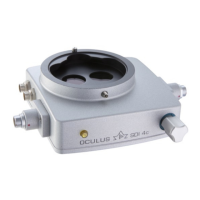
Check and Mount the Dovetail Connections:
First visually check the connection for correct mounting.
Check this by gently rocking the connection before you begin mount-
ing any of the other attachments.
Attention
Risk of injury to the patient if the BIOM® 5 drops.
Loose connections can pose a hazard if you mount the adapter plate incor-
rectly.
Therefore, after each conversion, check that all retaining elements (e.g.
locking screws) are present and are tight.



 To Next Page