10 Troubleshooting
26 / 40 Instruction Manual BIOM® 5 (G/55400/0413/en)
9.11 Dismantle
Proceed in reverse order from assembly of the BIOM® 5.
Pull the BIOM® 5 off the adapter plate. To do so, swivel the BIOM® 5
out, fig. 9-4, page 14, pict. 2.
Dismount the two optics, fig. 9-4, page 14, pict. 1 and 3.
For BIOM® 5c only:
Remove the drive belt and the flexible cable duct (fig. 9.2, page 12)
from the BIOM® 5c.
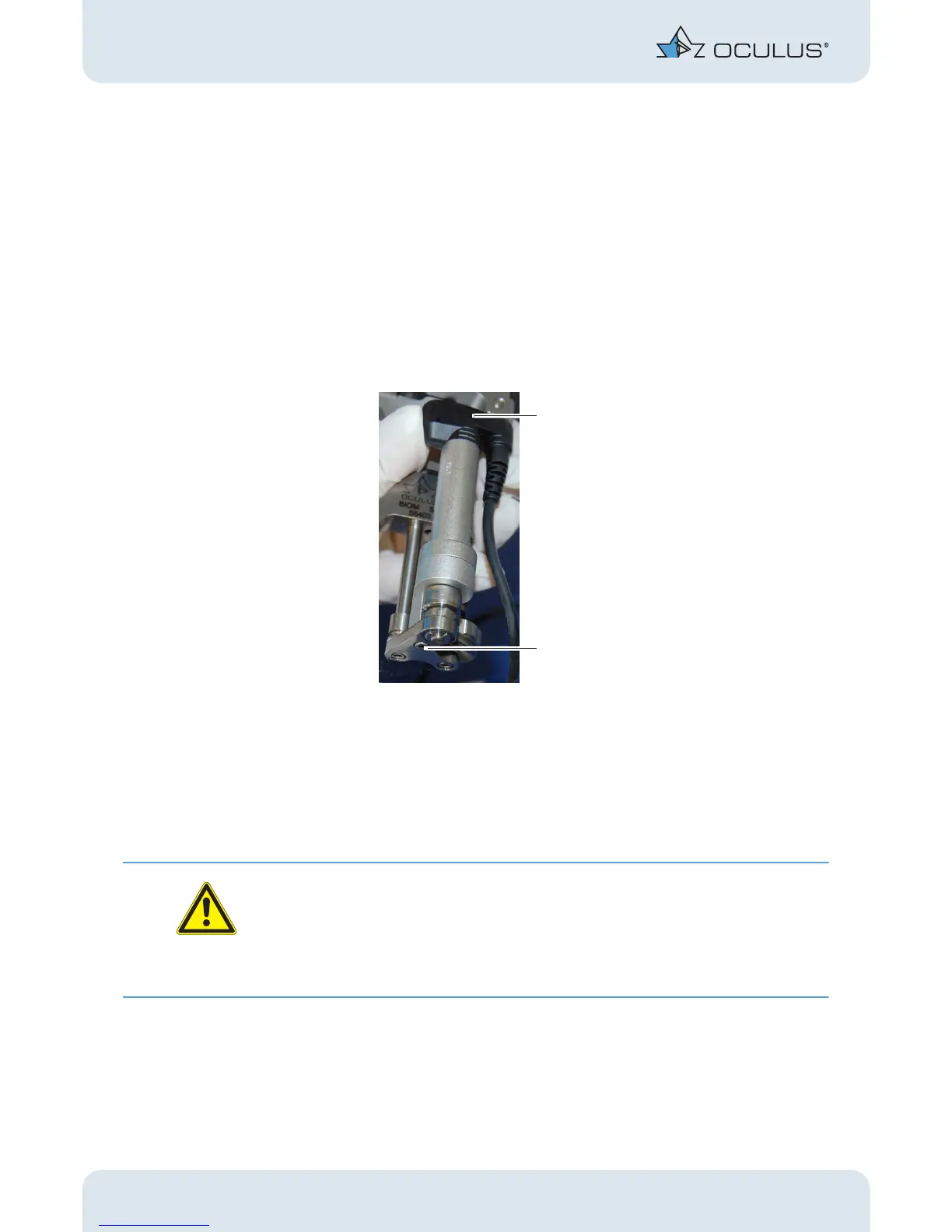
Before sterilizing, check that the drive module (1) is secure. If it is
loose, either tighten the Allen screw, 2 mm (2) at the drive module or
call in your hospital technician.
All components are prepared for cleaning, disinfection and sterilization in
the steam autoclave, see sect. 12, page 29.
10 Troubleshooting
Attention
If an error occurs which you are unable to correct by following the instruc-
tions below, label the device as “out of order” and contact our service de-
partment. (Address: sect. 14.2, page 34).
Never put a damaged BIOM® 5 into operation.
Fig. 9-13: Drive module: Check and tighten



 To Next Page