9 BIOM® 5 in Use
Instruction Manual BIOM® 5 (G/55400/0413/en) 25 / 40
BIOM
®
5c
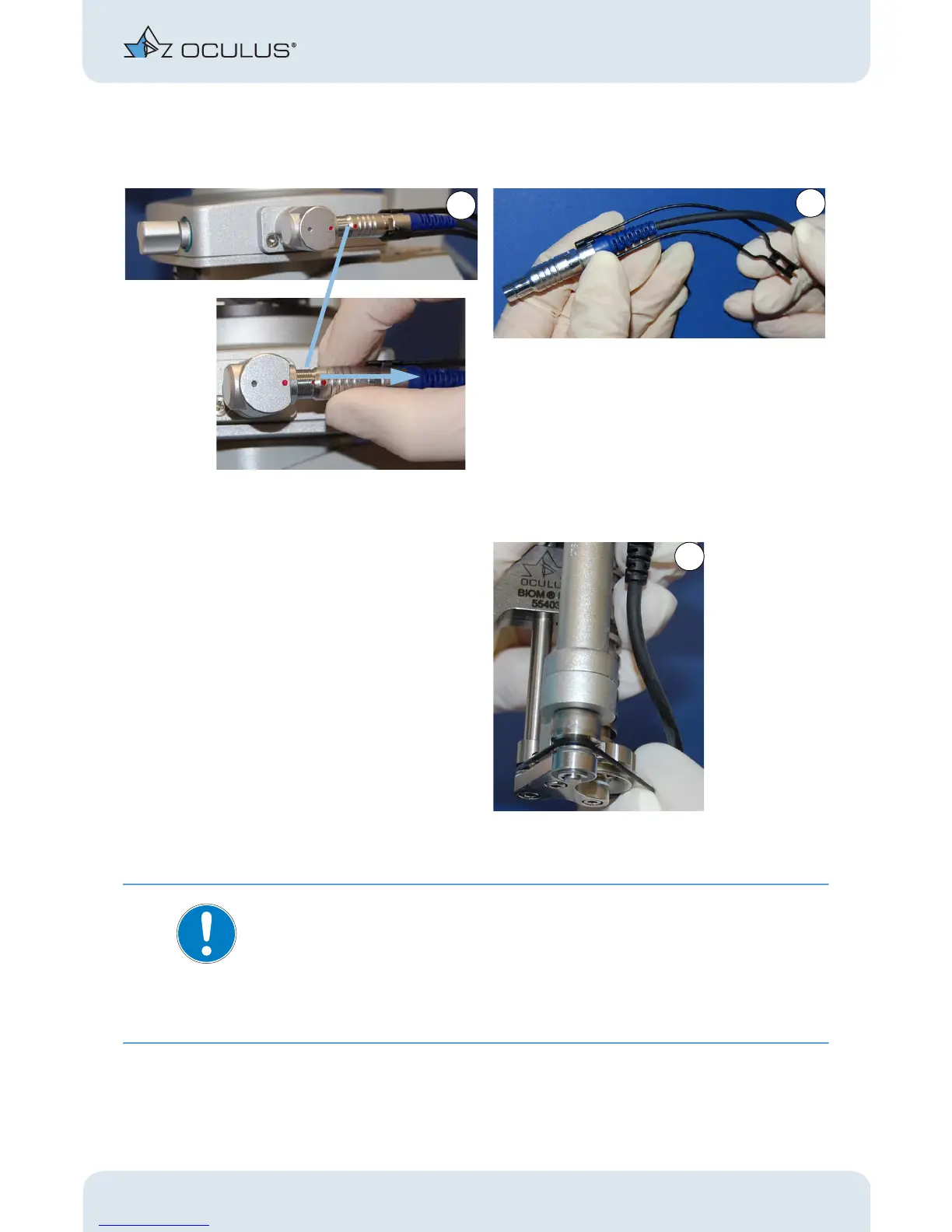
After completing the surgery:
Note
Risk of damage to the device if the connector is pulled incorrectly.
If you pull on the cable, you could damage it and the complete drive module
would then have to be exchanged.l
Always grasp the plug connector of the BIOM® 5c at the sleeve to
release the locking mechanism.
Loosen the knurled screw, fig. 9-7, page 17, pict. 3.
Pull the BIOM® 5 along with the adapter plate off the dovetail mount,
fig. 9-7, page 17, pict. 2.
Pull the plug of the BIOM® 5c out of the coupler at
the SDI® 4c housing. To do this, grip the plug at the
sleeve and unlock it.
Detach the cable holder from the plug.
Take off the drive belt.
Abb. 9-12: Demounting the BIOM® 5 c components



 To Next Page