9 BIOM® 5 in Use
Instruction Manual BIOM® 5 (G/55400/0413/en) 17 / 40
Prior to each use, check that:
The device is in technically perfect condition.
All connections and fasteners that can be loosened are properly
tightened and are in a safe condition.
The dovetail mount for the adapter is securely fastened at the
microscope.
9.4 Connect the BIOM
®
5 to the
Microscope
Caution
Patient hazard caused by incorrect installation
Never mount the BIOM® 5 above a patient.
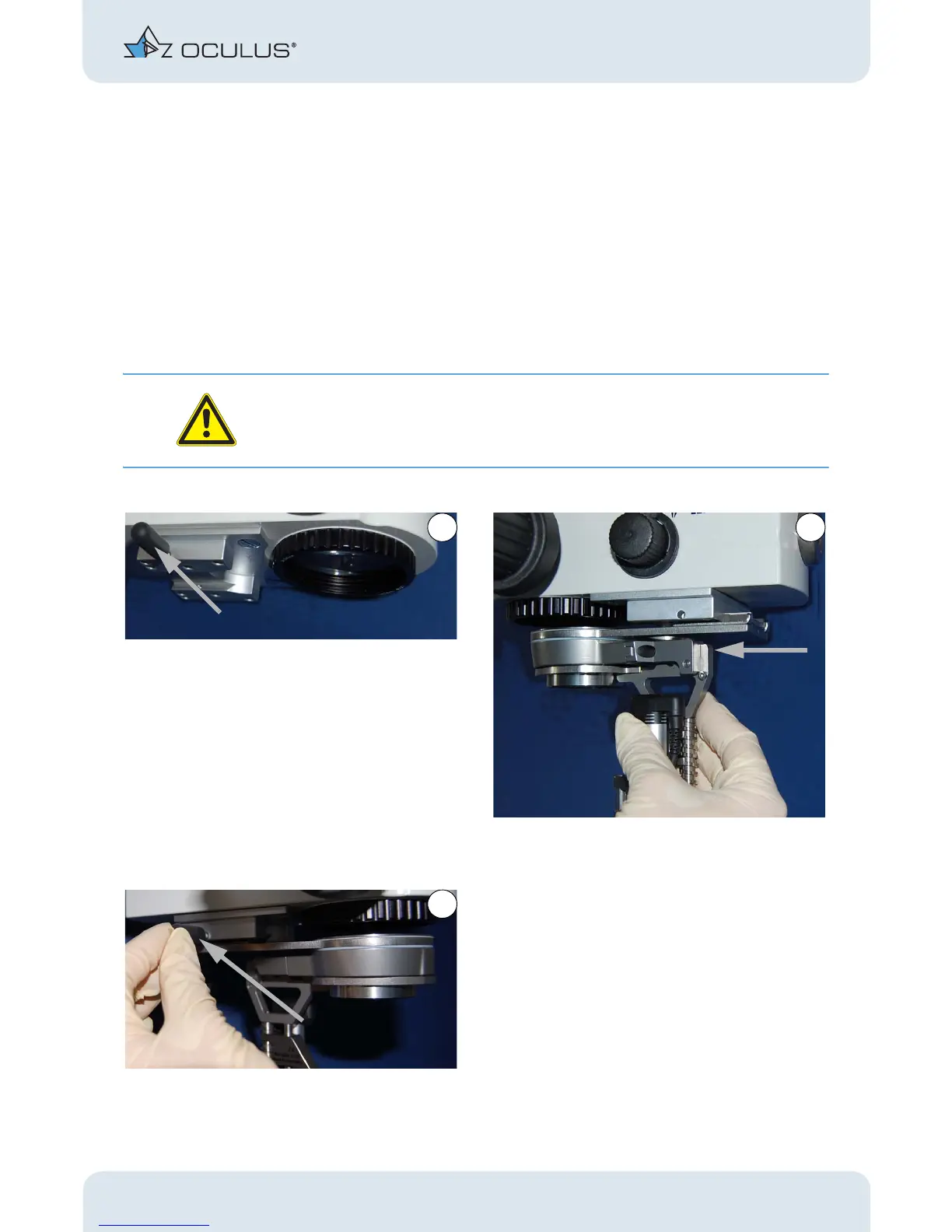
Push the sterile cap onto the knurled screw. Slide the adapter plate with the BIOM® 5 into the
dovetail mount at the microscope.
Secure the adapter into place with the knurled screw.
Fig. 9-7: Connect theBIOM® 5 to the Microscope



 To Next Page