9 BIOM® 5 in Use
24 / 40 Instruction Manual BIOM® 5 (G/55400/0413/en)
9.9.1 End Operation of the BIOM
®
5
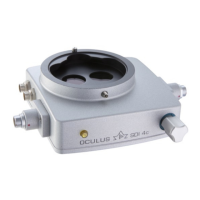
Swivel the BIOM® 5 to its parked position.
After completing the surgery in the posterior segment: Slide up the
safety rod of the BIOM® 5 by hand and flip the BIOM® aside.
Deactivate the SDI®.
For the Combination BIOM
®
5c / SDI® 4c Only
Swiveling the BIOM® 5c out of the beam path automatically deactivates the
SDI® 4c.
9.10 Remove the BIOM
®
5 from the
Microscope
Caution
Patient hazard caused by incorrect removing
Never dismount the BIOM® 5 above a patient.
BIOM
®
5m
After completing the surgery:
Loosen the knurled screw, fig. 9-7, page 17, pict. 3.
Pull the BIOM® 5 along with the adapter plate off the dovetail mount,
fig. 9-7, page 17, pict. 2.



 To Next Page