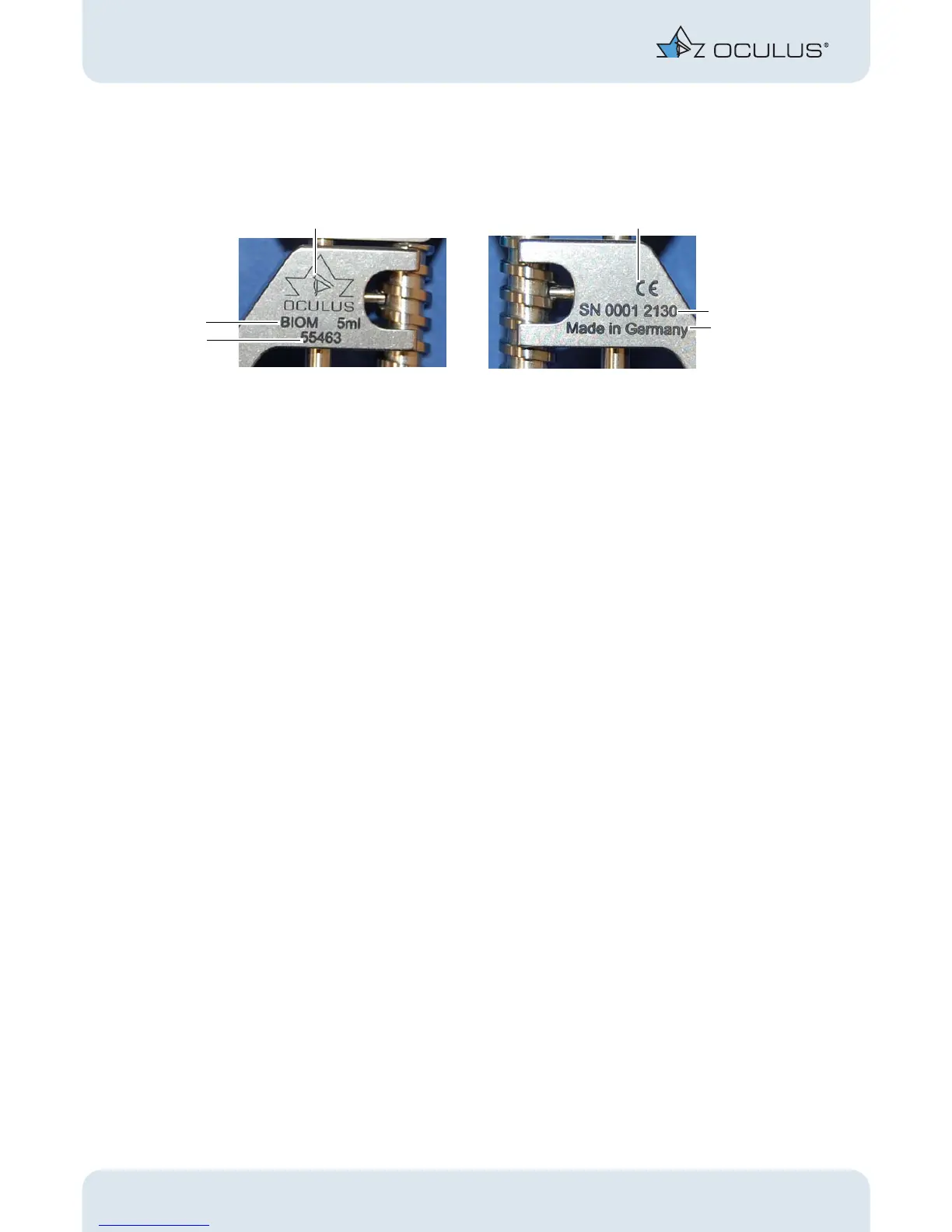
2 Graphic Symbols on the Equipment
2 / 40 Instruction Manual BIOM® 5 (G/55400/0413/en)
2 Graphic Symbols on the Equipment
3 Safety Instructions
3.1 About this Manual
Carefully read through the Instruction Manual.
Keep the Instruction Manual in good condition near the device.
Observe the legal regulations with regard to accident prevention.
Read the separate operating instructions for the SDI® 4 and accesso-
ries.
Read the special packing notice included with the adapter and acces-
sories.
If you have also selected our company’s Stereoscopic Diagonal Inverter
(SDI 4), you will find this unit and its accessories in a lined, plastic carrying
case.
1 Company logo + Manufacturer 4 Country of manufacture
2 CE marking 5 Device number
3 Serial number 6 Device name
Fig. 2-1: Graphic Symbols on the Equipment BIOM® 5



 To Next Page