Quick Start
Color EditorGeneral InformationQuick StartMain ScreenInstallationIntroductionTable of Contents
Mini Magic Box - Design Card Converter
Software Manual
108
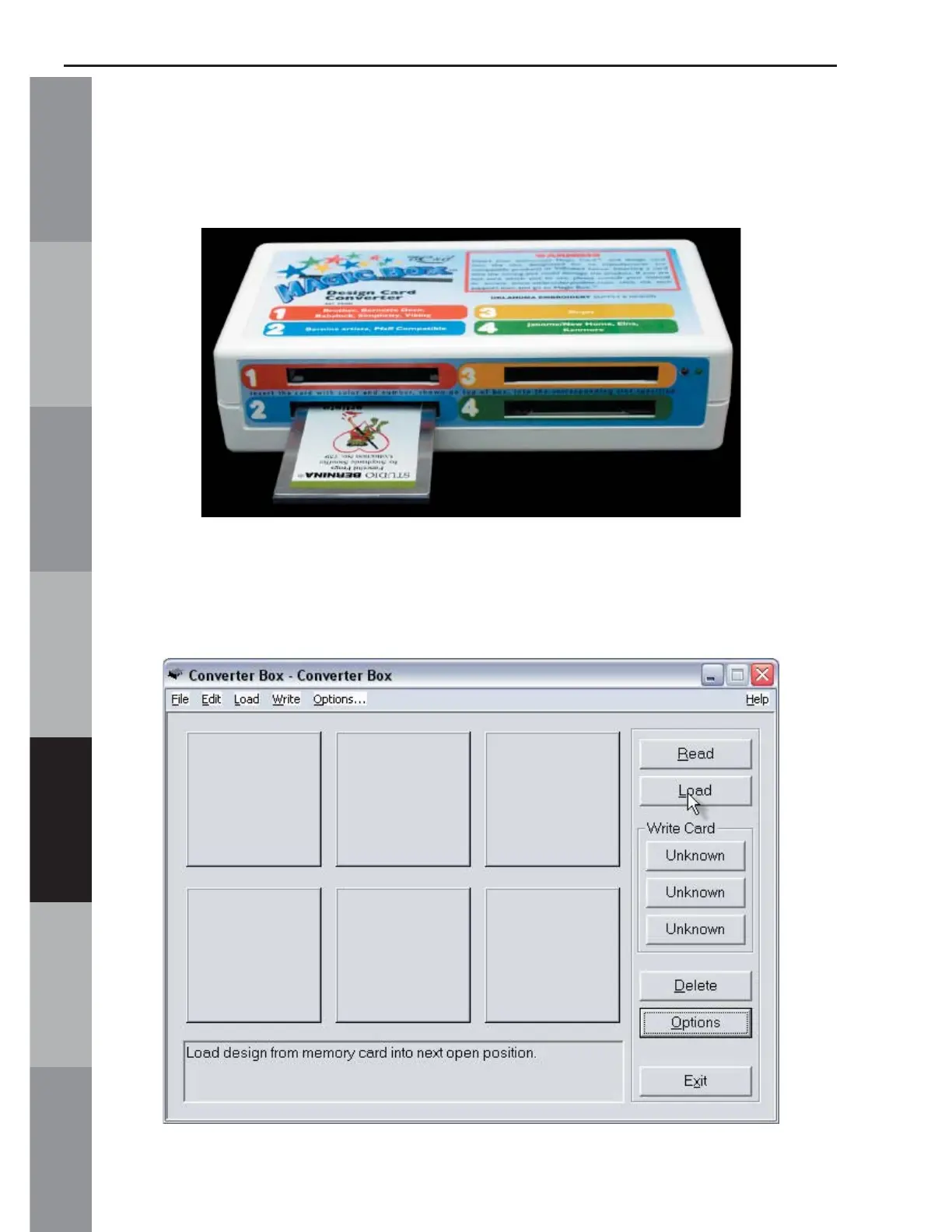
4. Insert the design card into the correct card slot on the Magic
Box. In this lesson, a Bernina artista compatible “Fanciful Frogs by
Stephanie Stouffer” Design Card is being used. It fi ts into slot #2.
5. Click the Load button from the right hand side of the
Converter Box window.



 To Next Page