Quick Start
Table of ContentsIntroductionInstallationMain ScreenQuick StartGeneral InformationColor Editor
Mini Magic Box - Design Card Converter
Software Manual
115
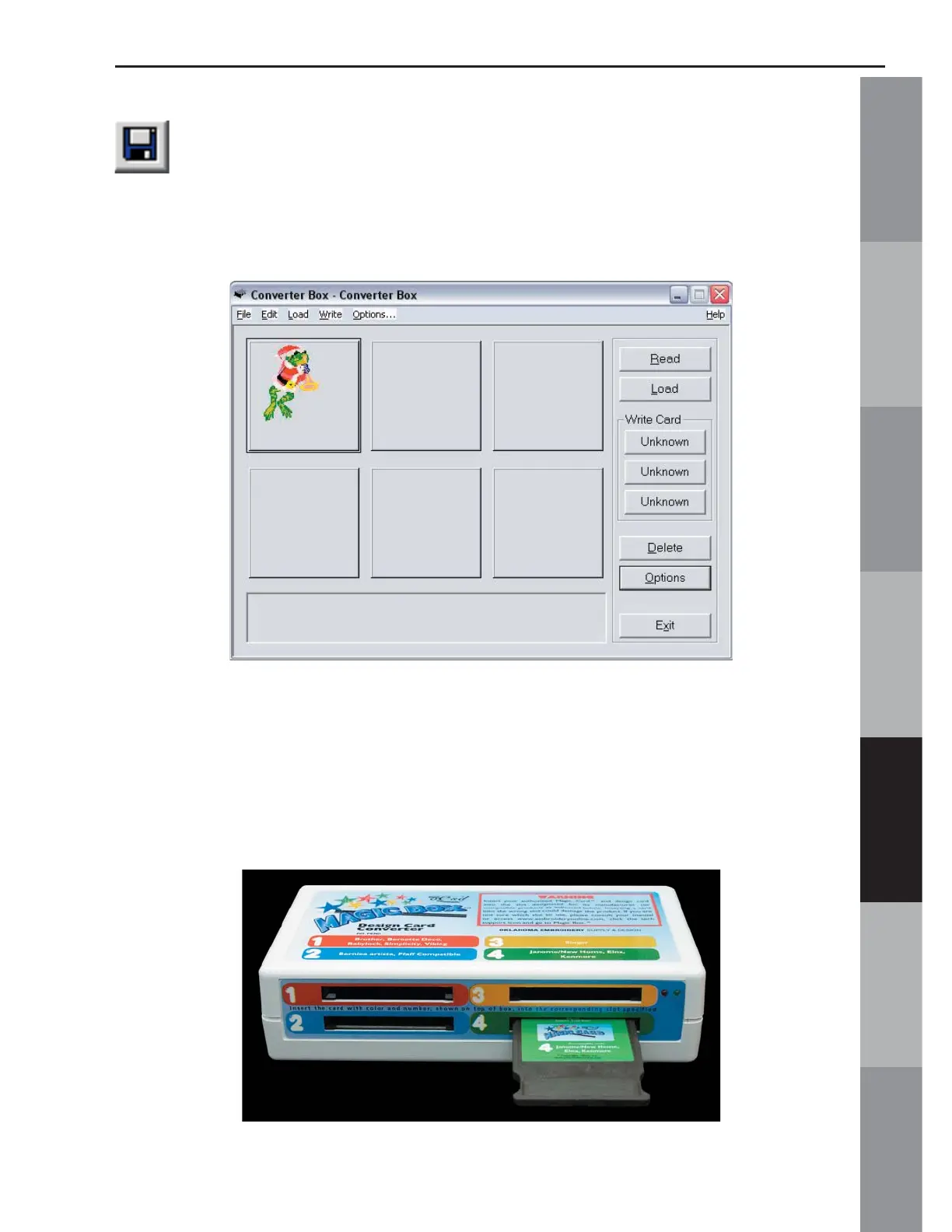
19. When fi nished, click the Save icon on the top of the tool bar.
20. The design will appear on the Magic Box Main Screen with
the colors that were selected in the Color Editor.
21. Insert the correct Magic Card into the appropriate color-
coded and numerically identical card slot on the Magic Box. In
this lesson, a #4 (JAN 8000, JAN 9000) Magic Card is being
used. It fi ts into slot #4. (Is using the Mini Magic Box, choose a
card appropriate for slots 1 or 2 instead).
Warning: Some embroidery design card can be erased or overwritten. Always remove any design
cards before writing to a Magic Card.



 To Next Page