Color EditorGeneral InformationQuick StartMain ScreenInstallationIntroductionTable of Contents
Magic Box - Design Card Converter
Software Manual
Installation
16
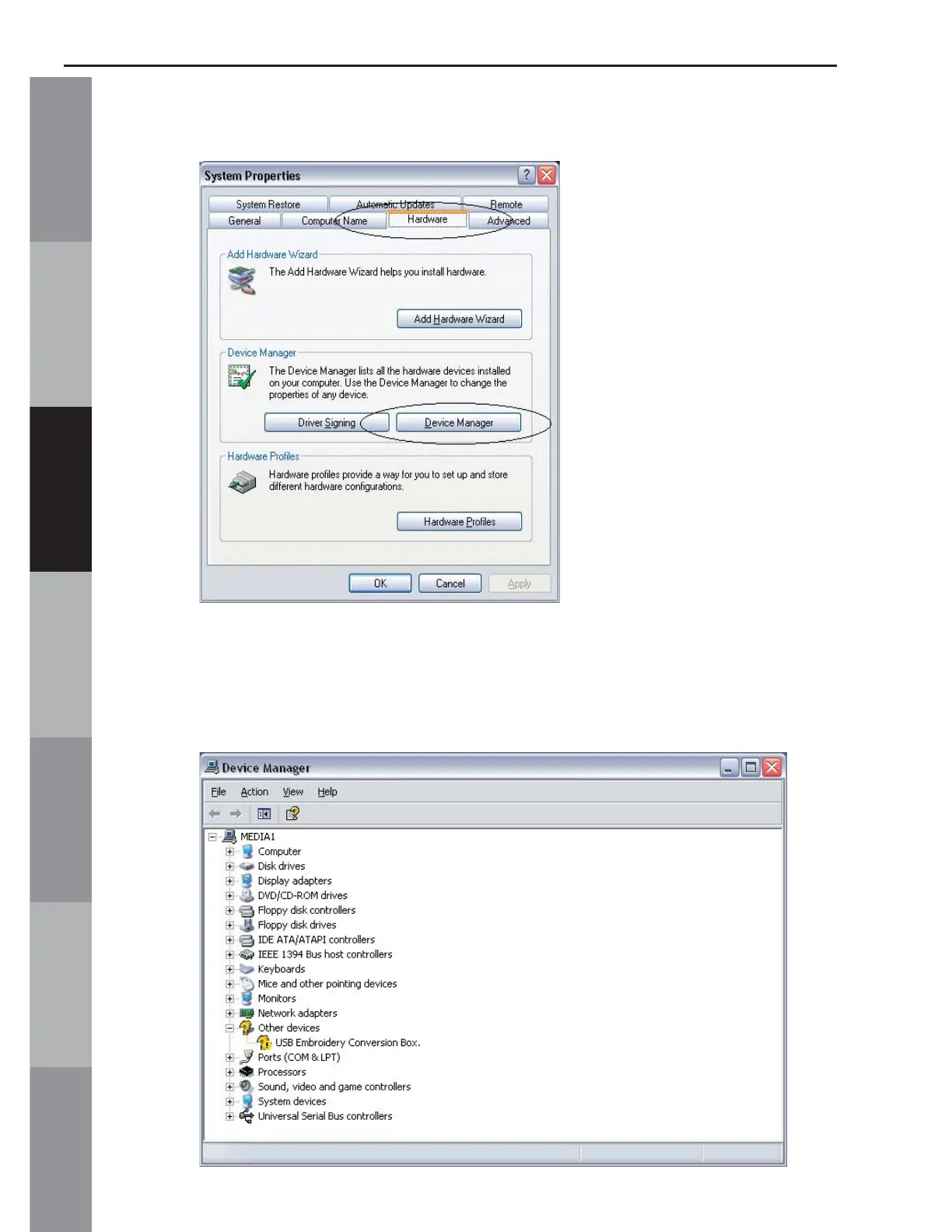
3. Go to the “Hardware” tab and click on “Device Manager”.
4. Find the listing for “Other devices”. Locate the “USB Embroidery
Conversion Box” underneath and right-click on it. (If “Other
devices” is not listed, skip to Step 6).



 To Next Page