Table of ContentsIntroductionInstallationMain ScreenQuick StartGeneral InformationColor Editor
Magic Box - Design Card Converter
Software Manual
Installation
17
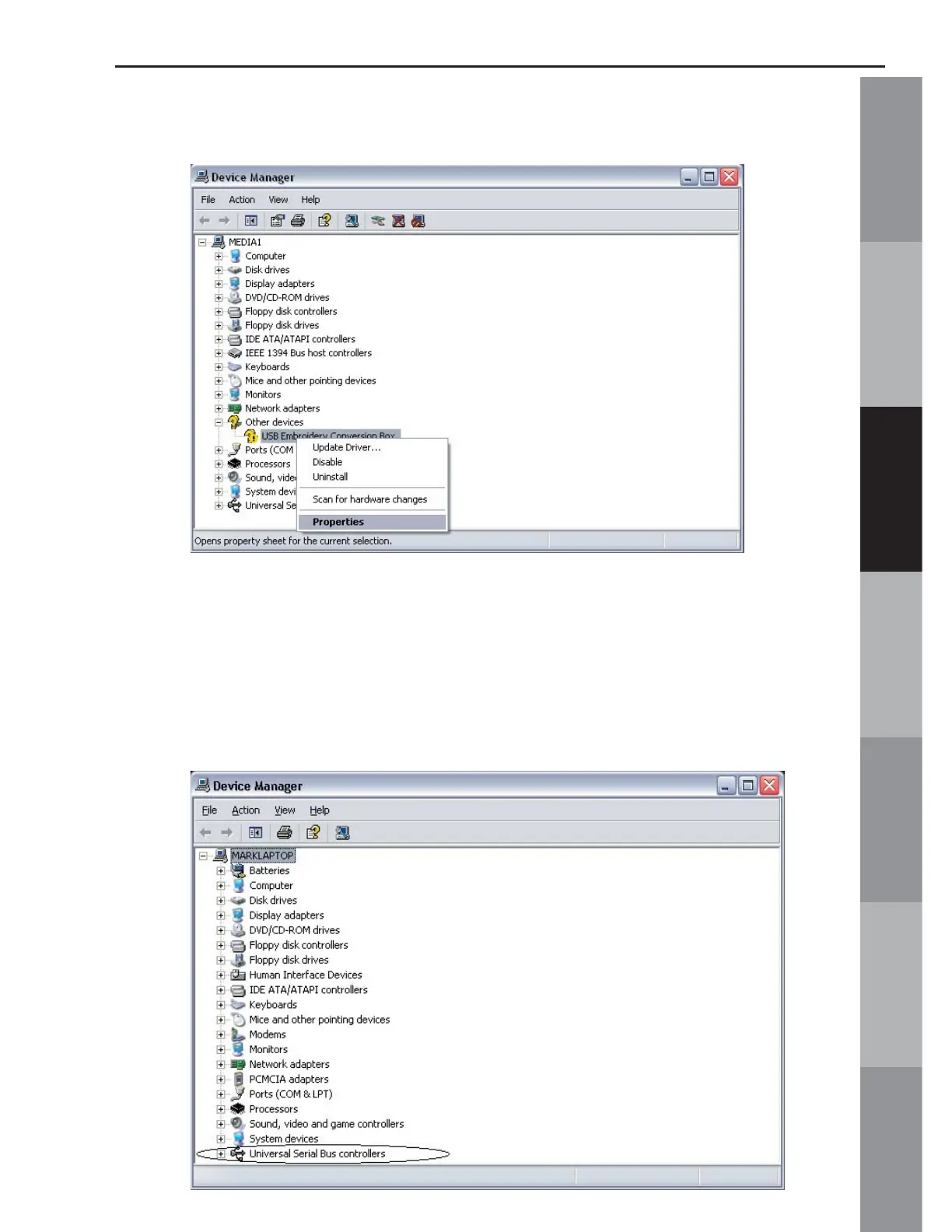
5. Click on “Properties”:
6. If “Other devices” is not listed, go to the bottom of the Device
Manager list, to the “Universal Serial Bus controllers” and click the
+ sign. It may be listed as “Unknown device” or “USB Embroidery
Conversion Box” under this heading. Right-click on this listing and
then left-click on “Properties”.



 To Next Page