Color EditorGeneral InformationQuick StartMain ScreenInstallationIntroductionTable of Contents
Magic Box - Design Card Converter
Software Manual
Installation
18
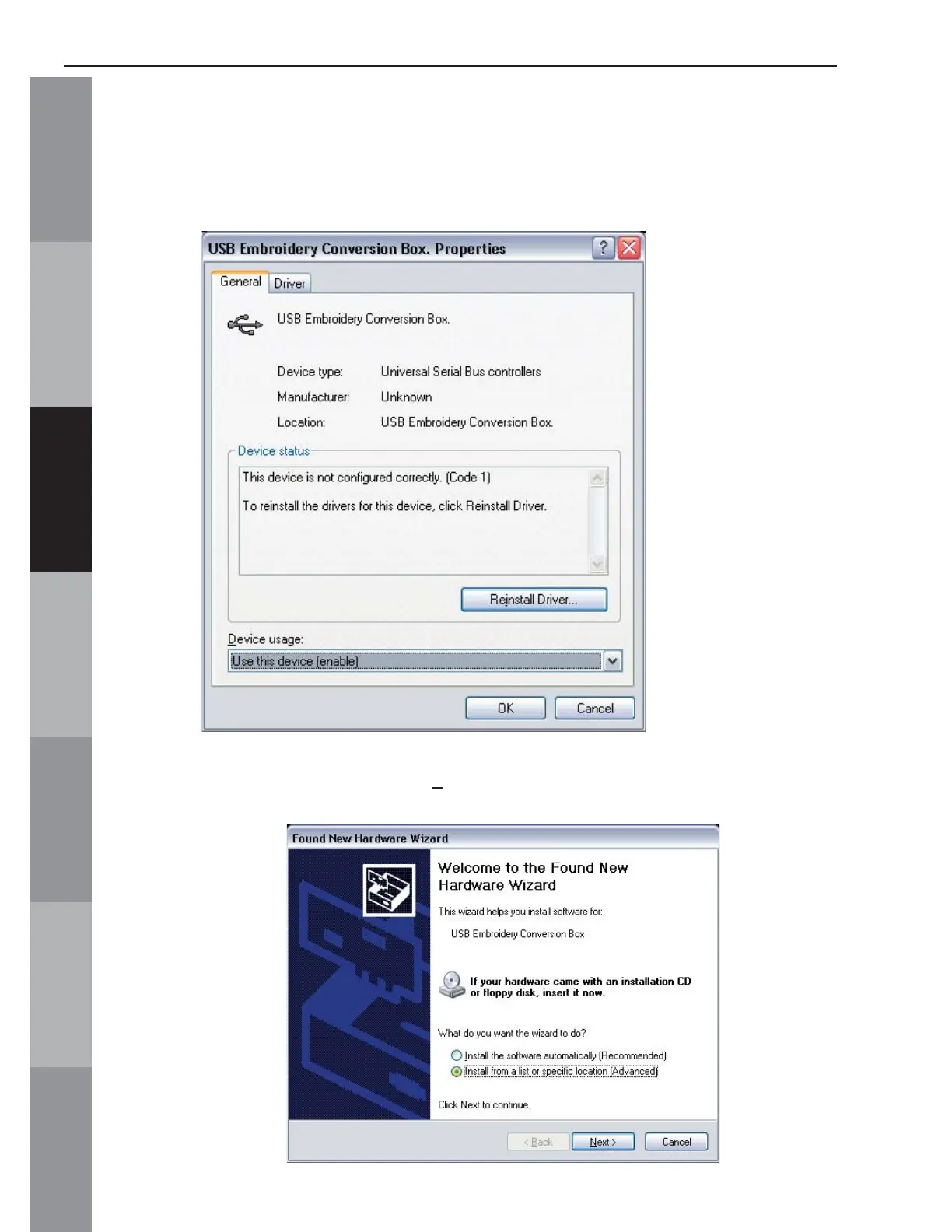
7. The Properties window opens. Click on “Reinstall Driver”. (If
there is not a “Reinstall Driver” option, click “Update Driver” from
the “Driver” tab.) This will then activate the Update Wizard.
8. Click “Install from a list or specifi c location {Advanced}” and
click “Next”.



 To Next Page