Table of ContentsIntroductionInstallationMain ScreenQuick StartGeneral InformationColor Editor
Magic Box - Design Card Converter
Software Manual
Installation
23
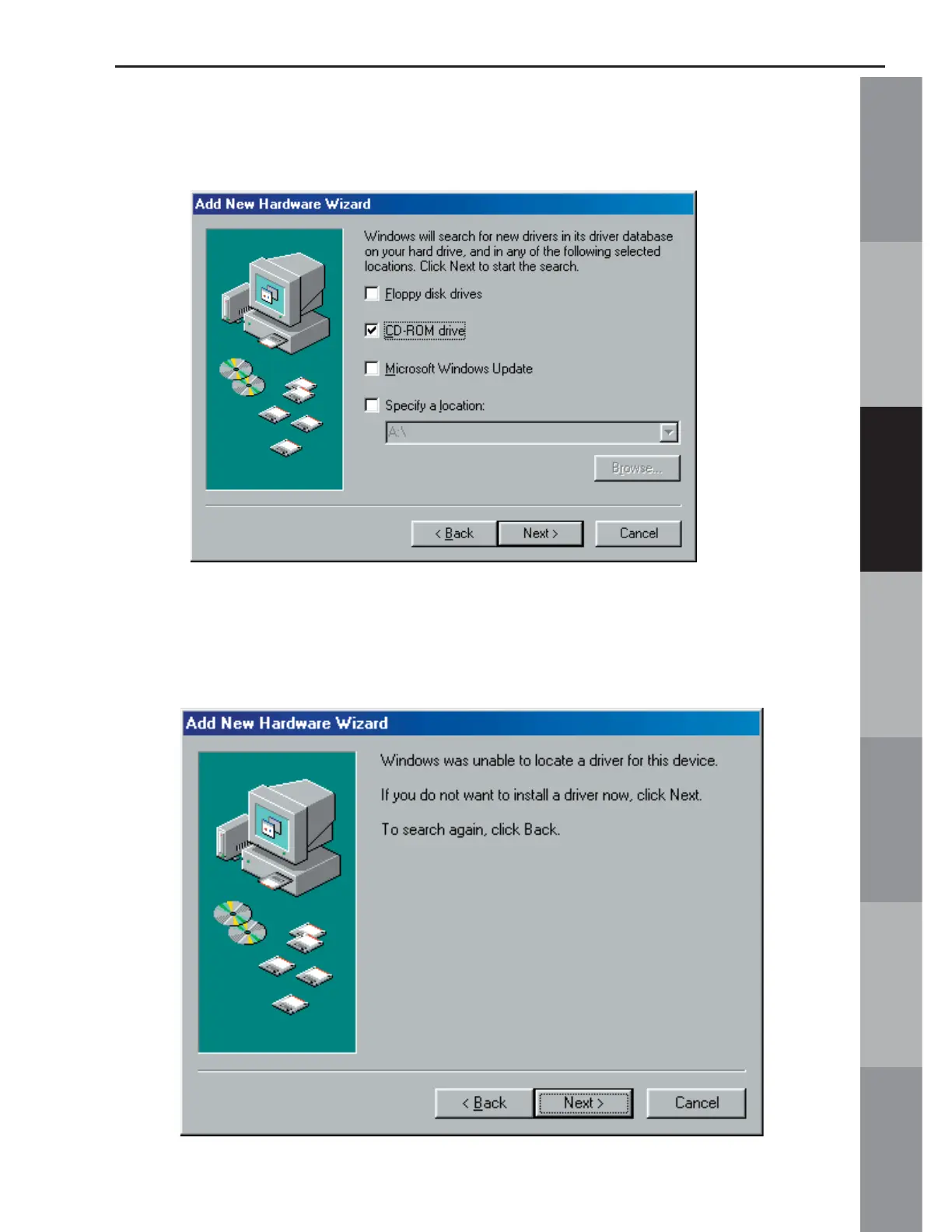
4. In the next window, uncheck any boxes that may already be
checked. Check the CD-ROM drive from the list and click ‘Next’.
NOTE: If the drivers are NOT located, they will need to be downloaded from
the Internet. Please click “Cancel” on the window below and skip to section
titled, “What to do if the Drivers do not install” on page 23



 To Next Page