Main Screen
Table of ContentsIntroductionInstallationMain ScreenQuick StartGeneral InformationColor Editor
Mini Magic Box - Design Card Converter
Mini Magic Box - Design Card Converter
Software Manual
69
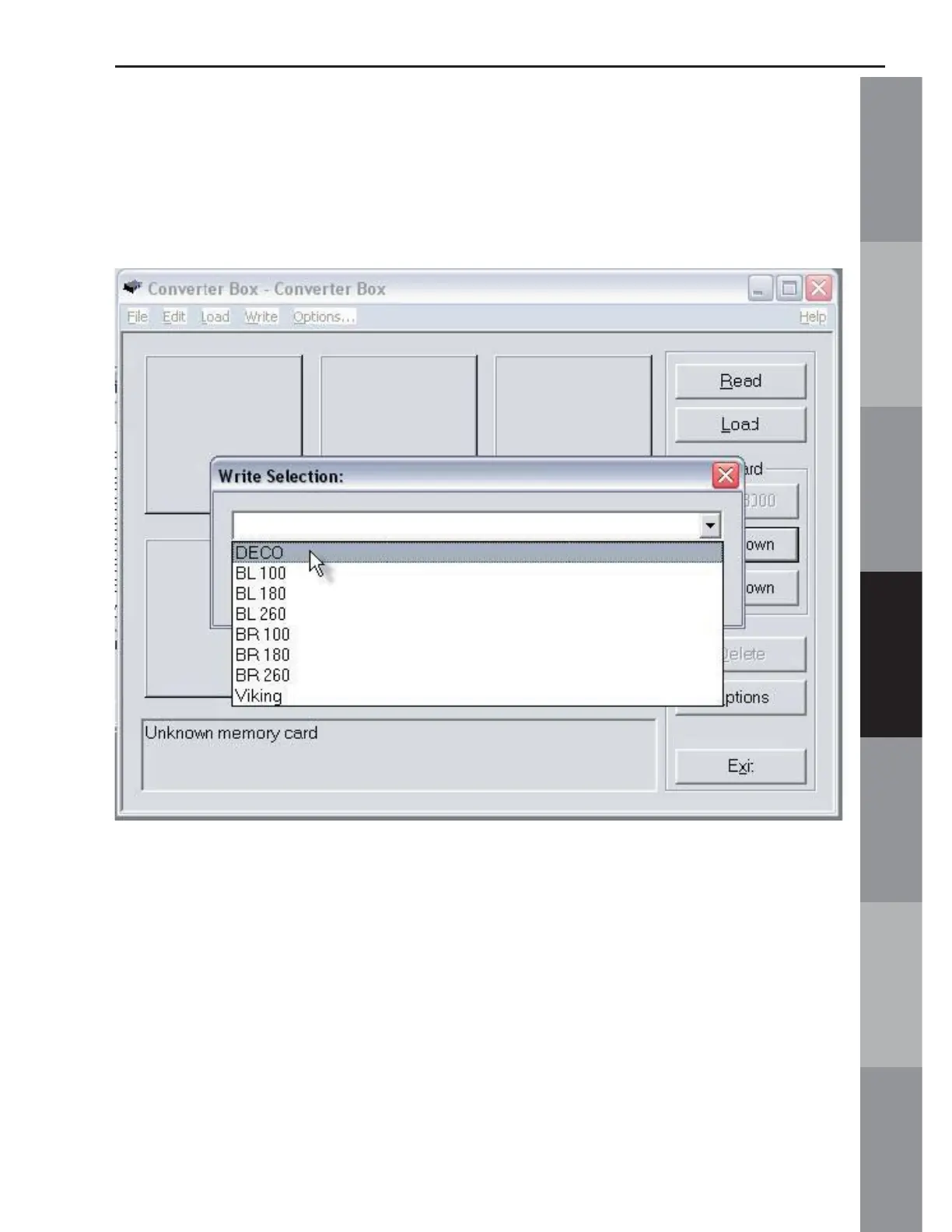
From the drop down list, choose the machine that the card is to be
written for. As shown in the fi gure below, when writing designs for
a Deco machine, choose DECO from the menu and click OK.
A warning box will appear indicating that the card in the slot is
about to be erased (Fig MS-10 Below)



 To Next Page