Patent No. 6,766,028 - OFI Testing Equipment, Inc.
OFITE, 11302 Steeplecrest Dr., Houston, TX 77065 USA / Tel: 832-320-7300 / Fax: 713-880-9886 / www.ote.com 9
6. The On-Off switch is located on the back panel, just above the power
cable connection. Turn the unit on and follow the display instructions, or
press CLEAR/STOP.
7. Refer to the “Thermocouple Calibration” section on page 47.
It is recommended that a calibration procedure be run due to
the possibility of mishandling during shipment of the Model 900.
Refer to the “Calibration - Standalone” section on page 14
for instructions on calibrating the unit manually. Refer to the
“Calibration - With Computer” section on page 16 for instructions
on calibrating the unit with the ORCADA
®
Software.
8. Place a properly prepared sample of test uid (if an R1B1 bob is being
used, approximately 165 - 170 mL) in the sample cup and immerse
the rotor exactly to the scribed line on the rotor by raising the platform.
Tighten the lock nut on the platform.
9. When operating under computer control, the keypad on the Model 900
unit is disabled and the unit is controlled from the PC. However, the type
of bob being used for the test must be entered in SETUP (refer to step 5
on page 19 for details) before connecting the unit to the PC
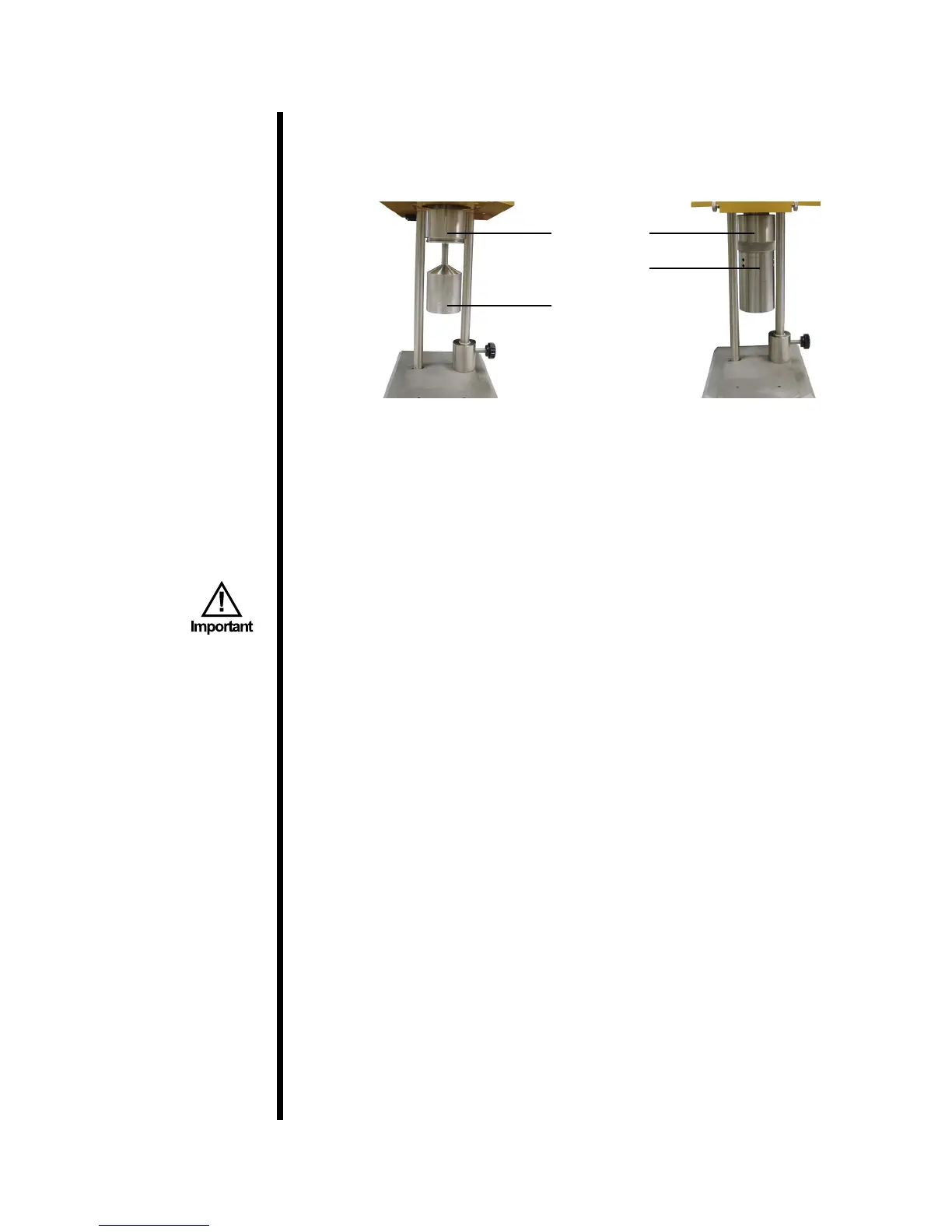
5. Position the rotor sleeve over the bob and move it upwards to join the
rotor. The threads assure the rotor sleeve will attach evenly and uniformly
each and every time.
Rotor Sleeve
Bob
Rotor



 To Next Page