53
Appendix
Driver Install
If using the included Serial to USB Converter cable (part # 130-79-19) to
connect to the Model 900, the PC will require a driver. This driver is included
on the same CD that contains the ORCADA
®
software. To install the driver:
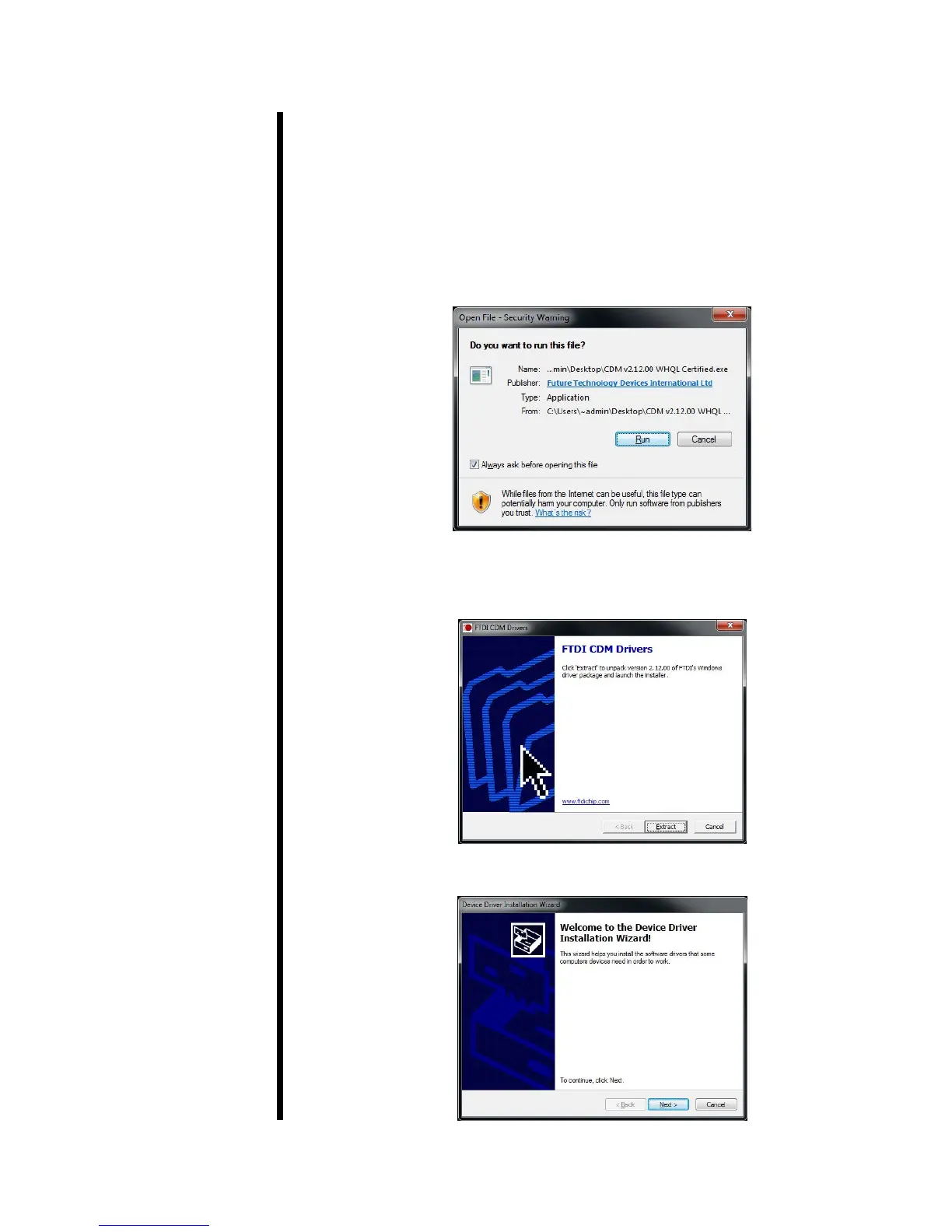
1. Insert the software/driver CD to the computer and select the le labeled:
CDM v2 1200 WHQL Certied.exe
2. A prompt will open, asking if you want to run this le. Press Enter or click
“Run”.
3. The FTDI CDM Driver will open to allow you to extract the driver and
launch the installer. Click “Extract”.
4. A welcome window will open. Click “Next”.
Patent No. 6,776,028 - OFI Testing Equipment, Inc.
OFITE, 11302 Steeplecrest Dr., Houston, TX 77065 USA / Tel: 832-320-7300 / Fax: 713-880-9886 / www.ote.com



 To Next Page