Patent No. 6,766,028 - OFI Testing Equipment, Inc.
OFITE, 11302 Steeplecrest Dr., Houston, TX 77065 USA / Tel: 832-320-7300 / Fax: 713-880-9886 / www.ote.com 18
Before calibrating the unit, you must input the specications of the calibration
uid that you are using. This will give the software the information it needs to
perform the calibration accurately.
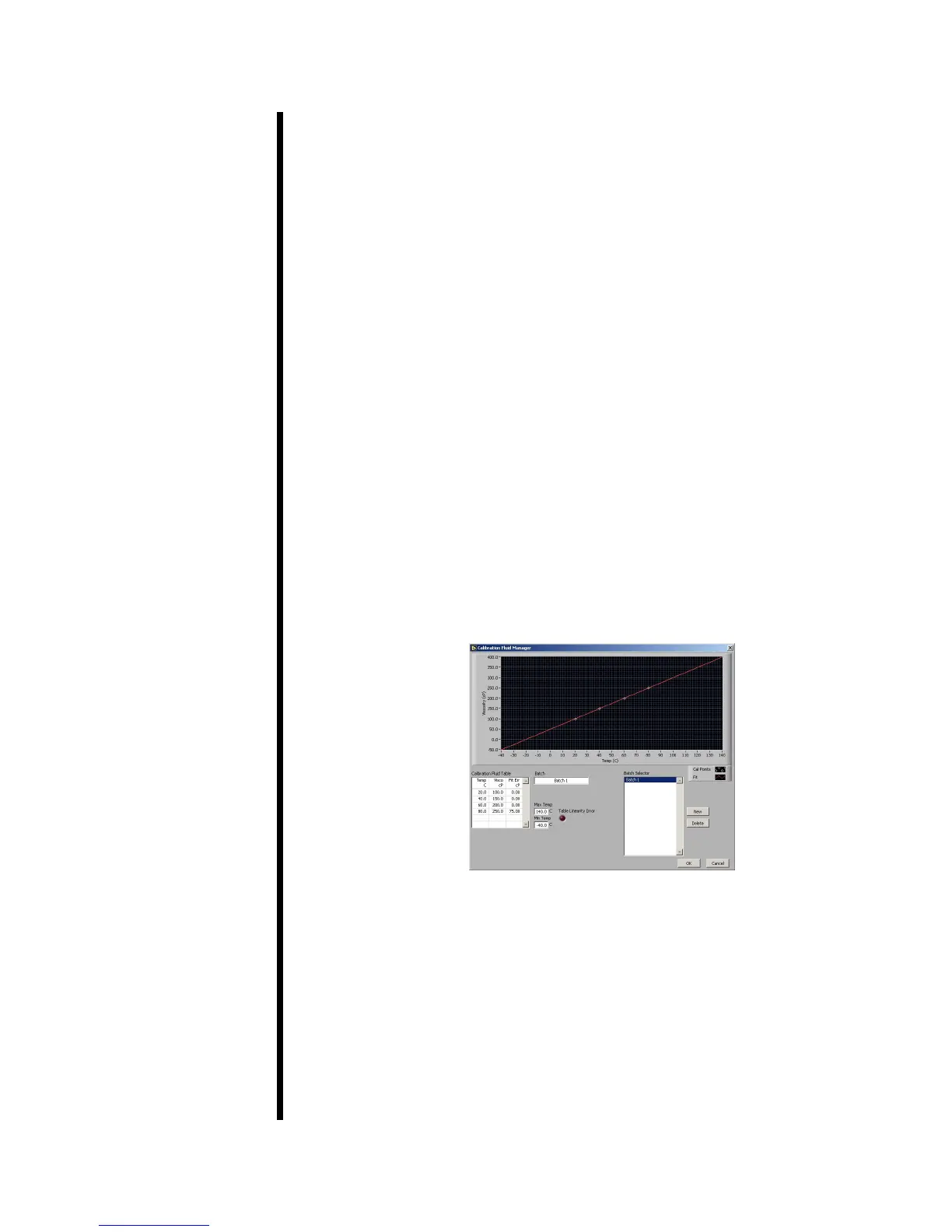
Click the “Fluid Manager” button on the Calibration screen to add a new
calibration uid batch.
1. Click “New” to add a new batch. You can also edit an existing batch
by selecting it in the “Batch Selector” list.
2. In the “Batch” eld, type a name for the batch. OFITE recommends
using the lot number and viscosity from the Certication Chart that
was provided with the uid.
3. In the “Calibration Fluid Table”, enter at least two Temperature/
Viscosity pairs from the Certication Chart. Only two pairs are
required.
The “Table Linearity Error” light will shine red if the values in the
“Calibration Fluid Table” do not create a straight line. If this occurs,
check the values and re-enter them.
4. Once you have entered all the batches, click “OK” to close the Fluid
Manager and return to the Calibration screen.
Calibration
Fluid Manager



 To Next Page