BW SERIES COMPACT BENCH SCALE EN-9
6. “g” is displayed. This is the Calibration Weight Unit. Press -Yes to
accept (or press -No to switch to “lb”, then press -Yes) and move on to the
next parameter. Refer to the following chart for the next steps.
Selected calibration weight unit: g
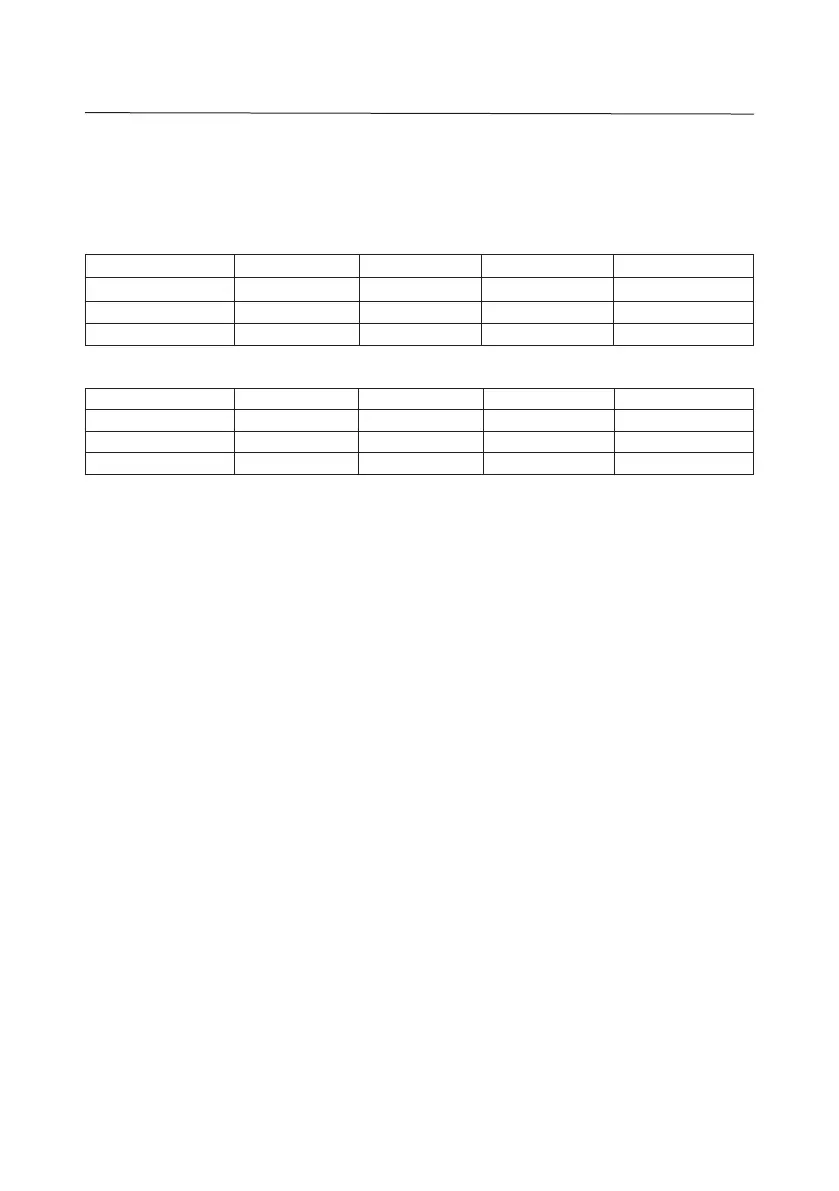
Scale Capacity 1.5 kg / 3 lb 3 kg / 6 lb 6 kg / 15 lb 15 kg / 30 lb
Displayed Setting 1500 3000 6000 15000
2/3 of Capacity 1000 / 1 kg 2000 / 2 kg 4000 / 4 kg 10000 / 10 kg
Full Capacity 1500 g 3000 g 6000 g 15000 g
Selected Calibration weight unit: lb
Scale Capacity 3 lb / 1.5 kg 6 lb / 3 kg 15 lb / 6 kg 30 lb / 15 kg
Displayed Setting 3000 6000 15000 30000
2/3 of Capacity 2000 / 2 lb 4000 / 4 lb 10000 / 10 lb 20000 / 20 lb
Full Capacity 3000 / 3 lb 6000 / 6 lb 15000 / 15 lb 30000 / 30 lb
7. “xxxx” is displayed. This is the Full Scale Capacity of the scale. Make
sure the displayed value matches the scale model capacity then press -Yes
to accept and move on to the next parameter.
8. “- - - - - -” is displayed. Make sure the pan is empty and stable at this time
then press -Yes. The display will count down from 5 to 0 as the scale zero
is registered.
9. “xxxx” is displayed. This is the Calibration Point corresponding to 2/3 of
the Full Scale Capacity value. Place the indicated calibration weight on
the center of the pan. With the scale stable, press -Yes. The display will
count down from 5 to 0 as the scale registers the calibration weight.
10. “xxxx” is displayed. This is the Calibration Point corresponding to the Full
Scale Capacity value. Place the indicated calibration weight on the center
of the pan. With the scale stable, press -Yes. The display will count down
from 5 to 0 as the scale registers the calibration weight.
11. “SAVE” is displayed when calibration was registered. Remove the
calibration weight, then press -Yes. The scale will display a self-test then
return to normal weighing mode. Or, press -No to abort calibration without
saving any changes.
Note: At any time during the calibration process, long-press ON/UNITS
OFF
to turn
off the scale and abort the process without saving any changes.





 To Next Page