
 To Next Page


C
Christina BatesSep 9, 2025
What does Error 9.5 mean on OHAUS Measuring Instruments?
- MmelissaporterSep 9, 2025
If your OHAUS Measuring Instruments displays Error 9.5, it indicates that calibration data is not present. Calibrate the scale.

What does Error 9.5 mean on OHAUS Measuring Instruments?
If your OHAUS Measuring Instruments displays Error 9.5, it indicates that calibration data is not present. Calibrate the scale.
How to fix OHAUS Scales that won't zero?
If you cannot zero your OHAUS Scales, first, remove any weights from the pan that exceed the allowable limits. Ensure the weight is stable by waiting for any vibration or movement to cease, or increase the filtering. If the issue persists, service may be required, as the load cell may be damaged.
What does Error 8.1 mean on OHAUS Scales?
If your OHAUS Scales display Error 8.1, it indicates that the weight reading exceeds the Power On Zero limit. Remove weight from the pan. If the issue persists, recalibrate the scale.
What does EEP Error mean on my OHAUS Accessories?
EEP Error indicates a corrupted EEPROM data.
What does Error 8.93 mean on OHAUS Measuring Instruments?
If your OHAUS Measuring Instruments displays Error 8.93, the EasyConnectTM base is connected to a blank indicator under the LFT ON status. Break the seal, connect the base to the indicator, and power on the scale. Power off the scale and perform sealing again.
What does Error 8.1 mean on my OHAUS Accessories scale and how do I fix it?
Error 8.1 on your OHAUS Accessories scale indicates that the weight reading exceeds the Power On Zero limit. Remove weight from the pan. If the problem persists, recalibrate the scale.
What does Error 8.3 mean on OHAUS Measuring Instruments?
If your OHAUS Measuring Instruments displays Error 8.3, it means the weight reading exceeds the Overload limit. Reduce the weight on the pan.
What does Error 8.1 mean on OHAUS Measuring Instruments?
If your OHAUS Measuring Instruments displays Error 8.1, it indicates the weight reading exceeds the Power On Zero limit. Remove weight from the pan. You may also need to recalibrate the scale.
What does REF Err mean on my OHAUS Accessories?
REF Err on your OHAUS Accessories means the average piece of weight (APW) on the pan is too small and less than 0.1d. Replace the batch of samples with a heavier one or change to a scale with readability suitable for your samples.
Why is my OHAUS Measuring Instruments unable to calibrate?
If you are unable to calibrate your OHAUS Measuring Instruments, ensure that the LFT security switch is turned off. Also, verify that you are using the correct calibration mass.
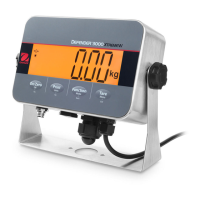
Crucial safety guidelines and warnings for safe operation and handling of the indicator.
Covers connecting the indicator to power sources like AC or battery supplies.
Provides step-by-step instructions for opening the housing and making internal connections.
Guide to entering and using the weighing mode, including application settings.
Explains how to use the counting application, including setting sample size and APW.
Instructions for using the check mode to compare weights against target limits.
Details on accumulating weights, setting totalization methods, and viewing results.
Comprehensive guide to performing various calibration procedures like zero, span, and linearity.
Steps to configure the indicator for legal for trade applications, including calibration.
Common issues, their probable causes, and recommended remedies for the indicator.
 General
| Model | i-DT33XW |
|---|---|
| Display | LCD with backlight |
| Application | Weighing, Parts Counting, Checkweighing |
| Communication | RS232 |
| Tare Range | To capacity by subtraction |
| Calibration | External Calibration |
| Type | Bench Scale |
| Power Supply | AC Adapter |
| Approval | NTEP approved |
| Operation | AC Adapter (Included) |
| Construction | Stainless Steel |
| Design Features | Water-resistant |
| Units | lb, oz, g, kg |