MB23 / MB25 EN-9
Interval Print x = Print Interval (1-3600 sec)
Print current RS232 settings
Change RS232 setting (The current RS232 setting can be displayed on the LCD by pressing Print
for 2 seconds while in standby mode.)
Baud:1200,2400,4800,9600,19200
Data Bits: 7 or 8
Parity: N = none, O = odd, E = even
Stop Bits: 1 or 2
Handshake: X = xon/xoff (software), R = RTS-CTS (hardware), N = none
The Analyzer will return “ES” for invalid commands.
All communication uses standard ASCII format.
Sent commands must terminate with a Line Feed or Carriage Return Line Feed (CRLF).
RS232 Output
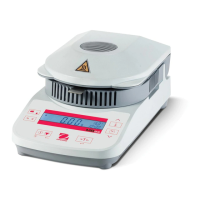
MOISTURE DETERMINATION
OHAUS MB2x SN #########
Switchoff Mode TIMED 10:00
Drying Temp 100C
Result Units %Moisture
00:10 0.0%MC
00:20 0.0%MC
Elapsed Time 00:02:21
Initial Weight 8.560 g
Final Weigh 8.555 g
Final Result 0.0%MC
Header on
Header on
Header on
Header on
Header on
If Print pressed or print interval set.
If Print pressed or print interval set.
Printed at successful end of test.
Printed at successful end of test.
Printed at successful end of test.
Printed at successful end of test.
Compliance
Compliance to the following standards is indicated by the corresponding mark on the product.
This product conforms to the EMC directive 2004/108/EC and the Low Voltage Directive 2006/95/EC.
The complete Declaration of Conformity is available from Ohaus Corporation
AS/NZS4251.1 Emission, AS/NZS4252.1
CAN/CSA-C22.2 No. 61010-1-04; UL Std. No. 61010A-1


 To Next Page