MB23 / MB25 EN-7
(7) After 15 minutes, the unit will beep and blink “160” on the display.
(8) Read the thermometer on the Temperature Calibration Kit and press Set to change and match the displayed value
to the thermometer reading.
(9) Press Tare to enter the value. The Analyzer returns to Weigh mode.
(10) Temperature calibration is now complete.
Note: If Tare is not pressed within 10 minutes the calibration will be aborted.
Cleaning
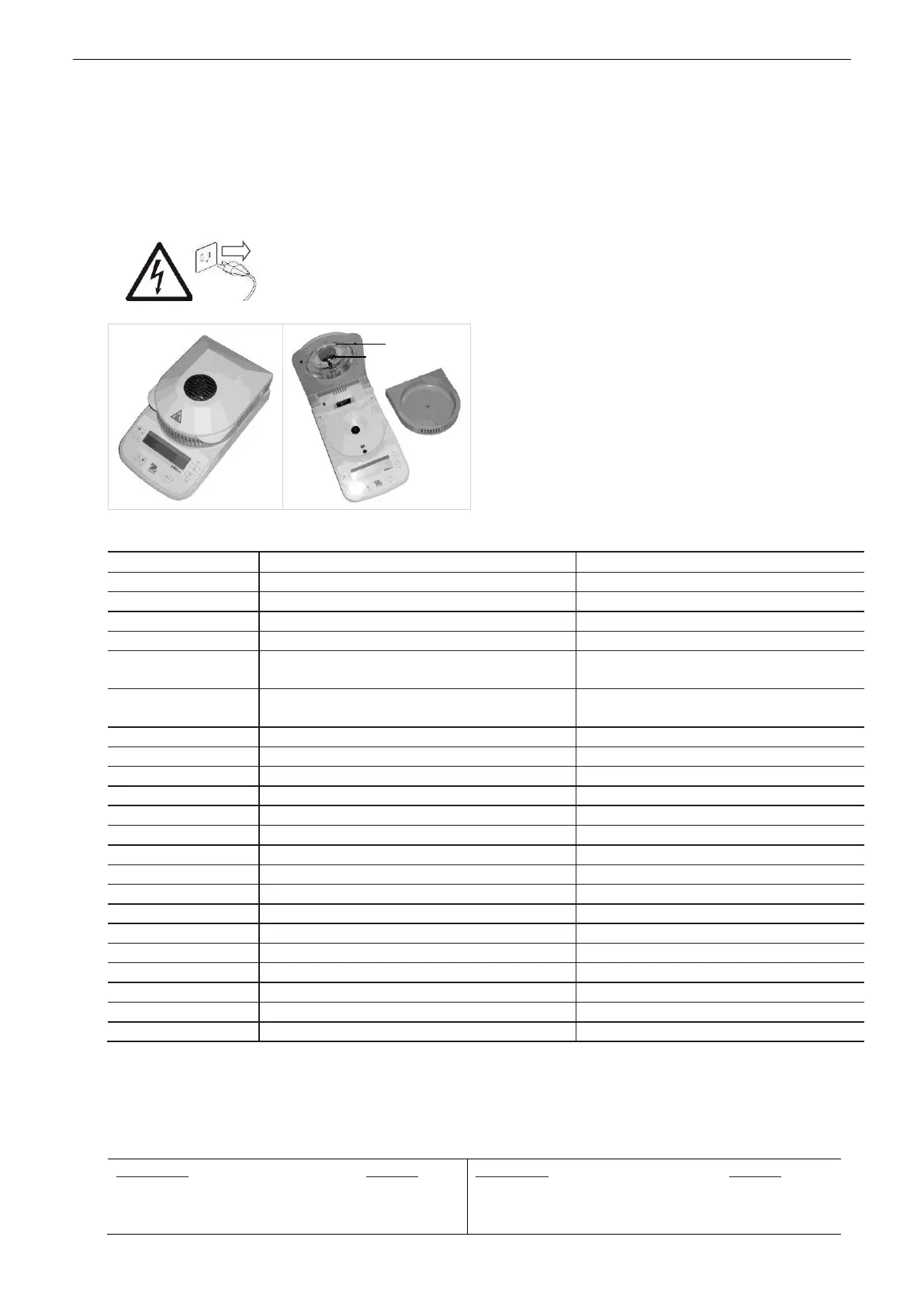
Disconnect the Analyzer from the power supply before cleaning the Analyzer.
Make sure that no liquid enters the interior of the Analyzer.
Make sure the Analyzer is cooled down before cleaning.
Clean the Analyzer at regular intervals.
Housing surfaces and the temperature sensor may be
cleaned with a lint-free cloth slightly dampened with water or
a mild cleaning agent.
Glass surfaces may be cleaned with a commercial glass
cleaner.
Do not use solvents, harsh chemicals, ammonia or abrasive
cleaning agents.
Troubleshooting
Verify connections, fuse and voltage
Sample weight less than 0.5g
Pan weight needs set to zero
Cover needs to be closed before starting test
Improper calibration
Unstable environment
Perform calibration
Move the analyzer to suitable location
Unstable environment
Incorrect calibration masses
Move the analyzer to suitable location
Use correct calibration masses
Pan support has load during power on
Remove weight from pan support
Pan support was removed prior to power on
Weight on pan support exceeds capacity
Remove weight from the pan support
Pan support was removed during weighing
Analyzer temperature is above 50°C
Analyzer temperature is higher than target setting
Factory calibration data corrupted
Contact an Ohaus-authorized dealer
Temperature sensor out of range – high
Contact an Ohaus-authorized dealer
Temperature sensor out of range – low
Contact an Ohaus-authorized dealer
Temperature sensor defective
Contact an Ohaus-authorized dealer
Temperature sensor defective
Contact an Ohaus-authorized dealer
Temperature sensor defective
Contact an Ohaus-authorized dealer
Use a power line conditioner
Contact an Ohaus-authorized dealer
Calibration parameters loading failed
Contact an Ohaus-authorized dealer
Accessories
Description Part No.
Security Locking Cable 76288-01
Security Lock (Kensington
®
type) 470004-010
Temperature Calibration Kit 11113857
Description Part No.
STP103 Thermal Printer, US 80251992
STP103 Thermal Printer, EU 80251993
STP103 Thermal Printer, UK 80251994



 To Next Page