EN-2 MB23 / MB25
2. INSTALLATION
Package Contents
Moisture Analyzer
Draft Shield
In-Use Cover
Pan Support
Power Cable
50 Sample Pans
Glass Fiber Pad
Instruction Manual
Sample Pan Handler (MB25 only)
Selecting the Location
Operate the Analyzer on a firm, level surface.
Select a location that is safe and with adequate ventilation. Fire, corrosive or toxic fumes and other hazards associated with
the test samples will require specially prepared locations.
Ensure that the location has easy access to the local AC power supply.
Avoid locations with rapid temperature changes, excessive humidity, air currents, vibrations, electromagnetic fields, heat
or direct sunlight.
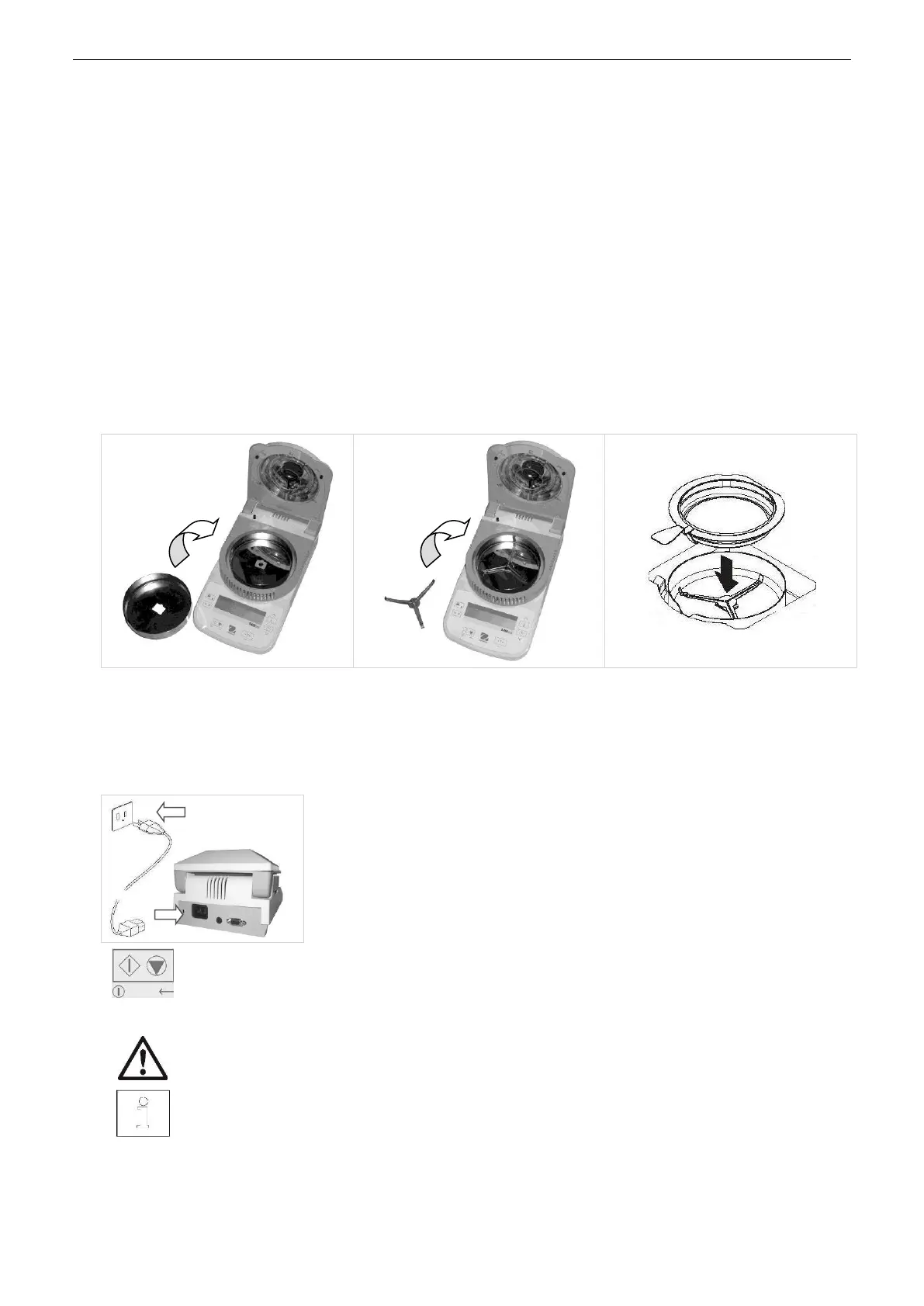
Installing Components
(1) Install and position Draft Shield
(2) Install Pan Support, turn until it
engages into position
Optional Sample Pan Handler - Slide an
empty sample pan under the pan handler,
then place over the pan support.
Connecting Power
Verify that the input voltage printed on the voltage identification label information and
the plug type matches the locations AC power supply.
Connect the supplied power cable to the power input receptacle at the rear of the Analyzer
and into a properly grounded power outlet.
Power: On (short press) / Off / Standby Mode (long press)
When powered on from standby mode, the Analyzer is ready for immediate use.
See also Section 1, Safety Precautions.
After connecting the Analyzer to the AC supply (standby mode), allow the Analyzer to warm up for at least
15 minutes for best results.



 To Next Page