OCS SMART _ USER MANUAL _ VERSION 1.00 OJMAR 24
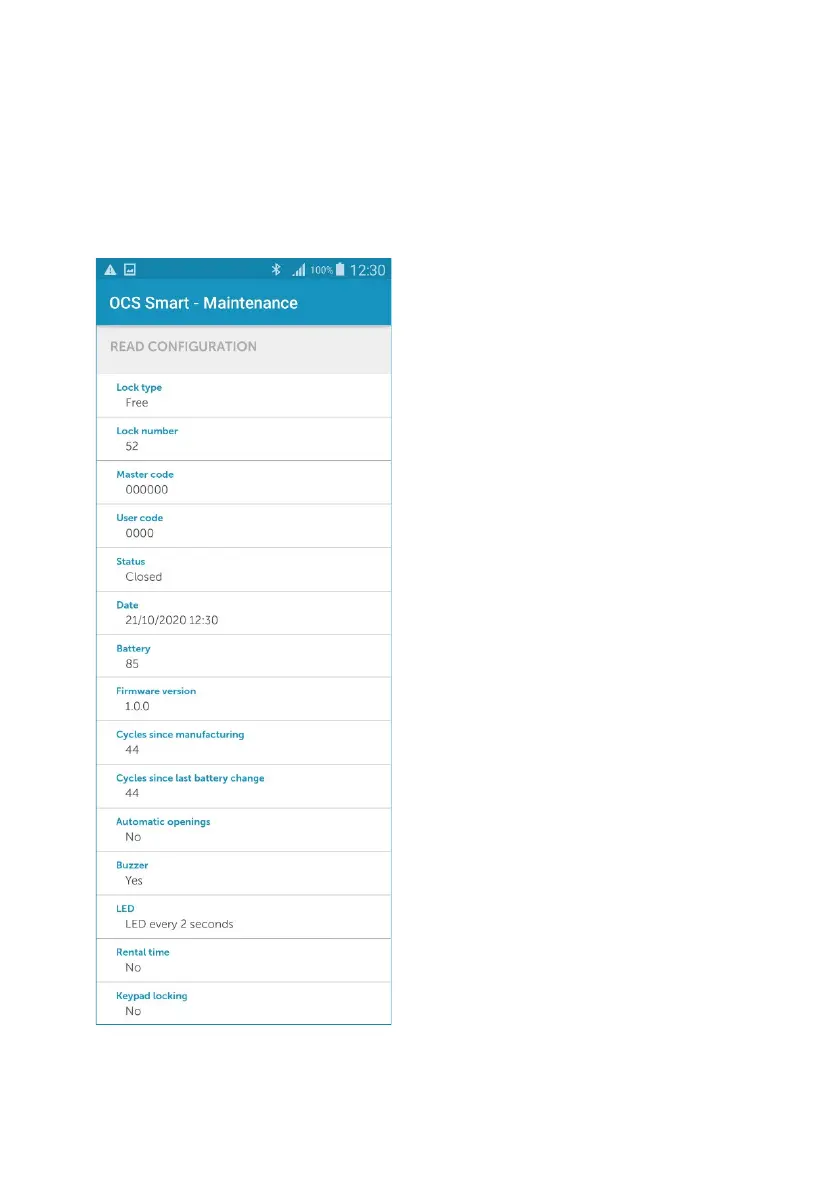
1.4.6 READ CONFIGURATION
Displays the lock’s configuration.
Upon entering the ‘‘Read Configuration’’ menu, a list of available locks is displayed.
Tap one of the lock numbers from the menu and the app will return the information
with which it was initially configured with.
• Type of lock (free or dedicated).
• Lock number.
• Master code.
• User code.
• Status (open or closed).
• Date.
• Battery level.
• Firmware version.
•
Cycles since the lock was
manufactured.
•
Cycles since the batteries were
replaced.
• Programmed openings.
• Whether the buzzer is active.
• LED blink status.
• Whether it is being rented.
• Whether the keypad will lock after
three failed opening attempts.
Note: a cycle is an opening and a closing
of the lock



 To Next Page