1_OCS SMART APP OJMAR 25
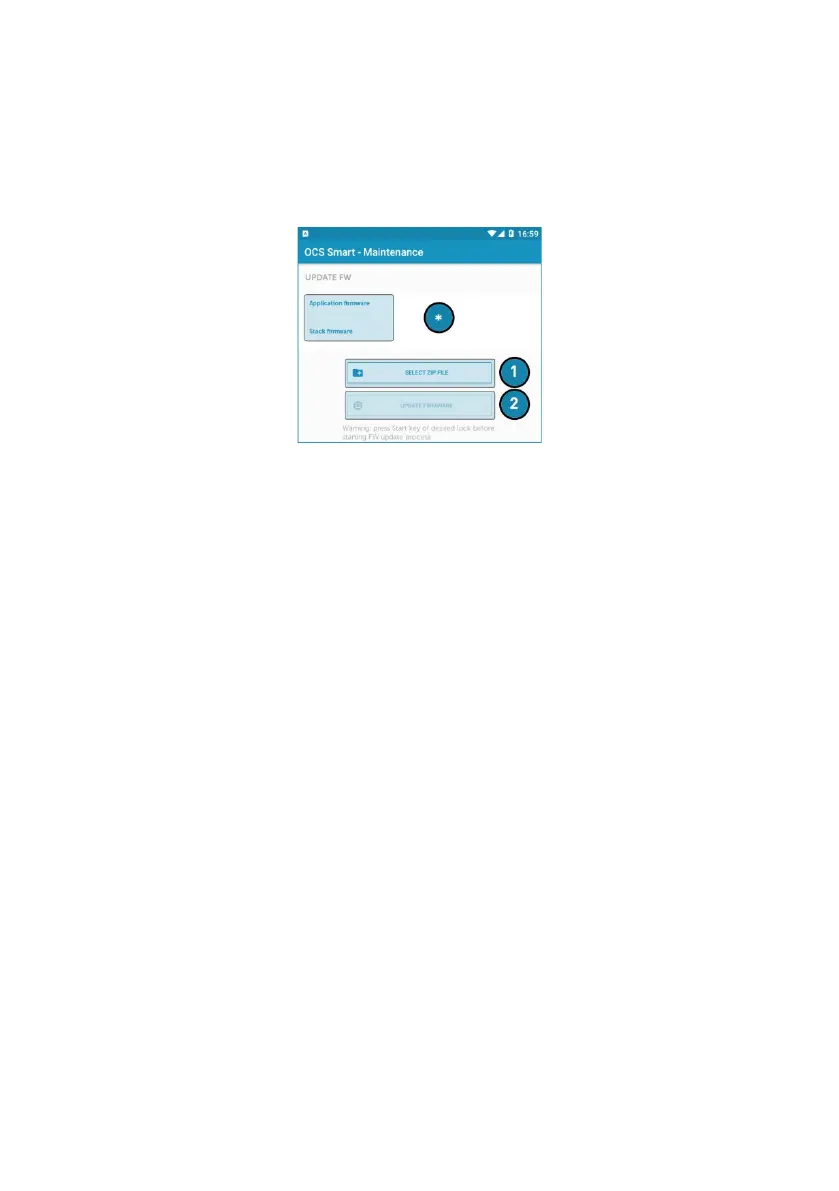
1.4.7 UPDATE FIRMWARE
This button is used to update the lock’s version. A firmware update will have shared
via email upon request or can be downloaded from our website.
The procedure is as follows:
1. Tap ‘‘Select Zip Filed’’ and navigate to where the compressed zip format is saved.
Location of where firmware file was saved will vary depending on the kind of
Mobile device being used.
• NOTE: * When selected, the version of the firmware to be installed is
displayed.
2. Tap start to wake the lock up.
3. Tap "Update firmware". The app will sync with the lock and proceeds with the
update.



 To Next Page