OCS SMART _ USER MANUAL _ VERSION 1.00 OJMAR 16
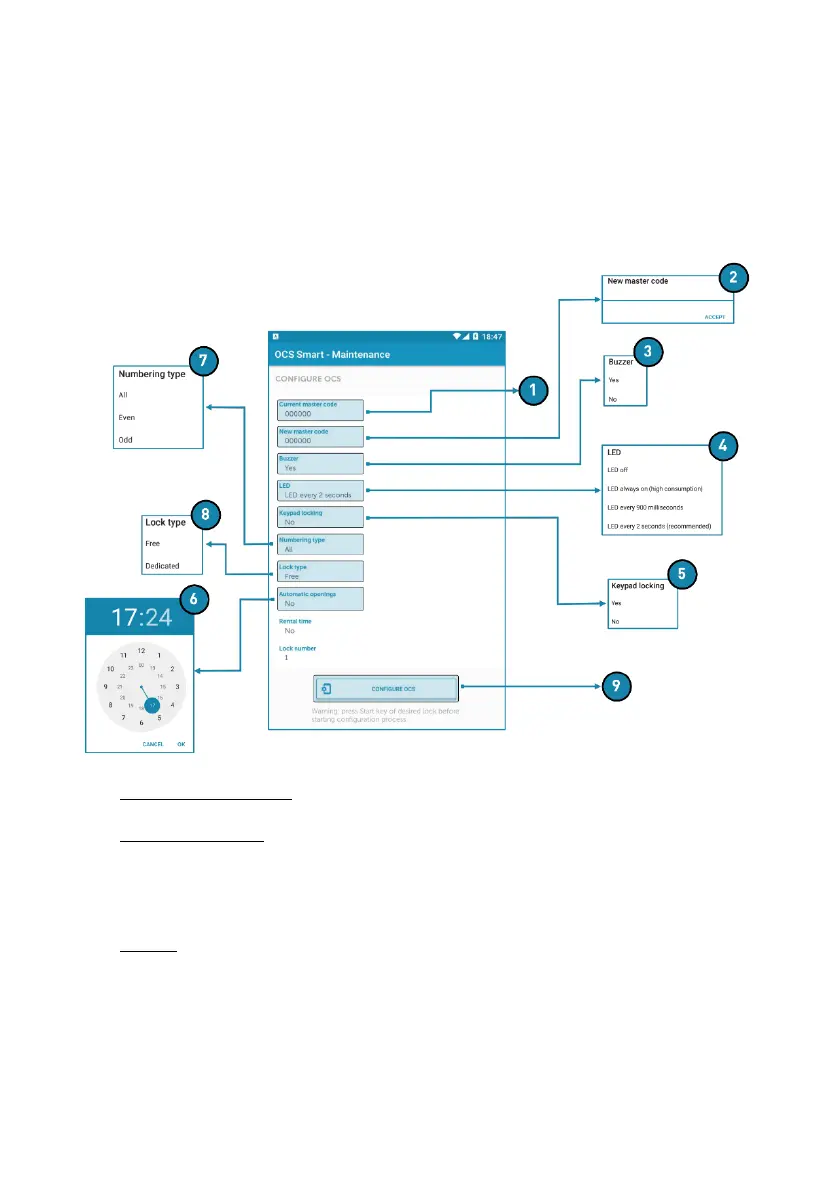
1.4.3 CONFIGURE OCS
Allows you to configure a lock.
The procedure is as follows:
Step 1: Tap start to wake the lock up.
Step 2: Tap the "Configure OCS" button in the app.
1. Current master code: Displays the lock’s master code.
2. New master code: Allows a new master code to be entered for the lock.
• NOTE: If the lock’s master code is changed, it will not be possible to connect
with it until the app’s master code has also been changed.
3. Buzzer: Activates or deactivates the vibration when the touch keypad is pressed.



 To Next Page