- 9 -
1. About Screens and Functions of Each Printer Driver
Windows PS Printer Driver (C834/C844/ES8434)
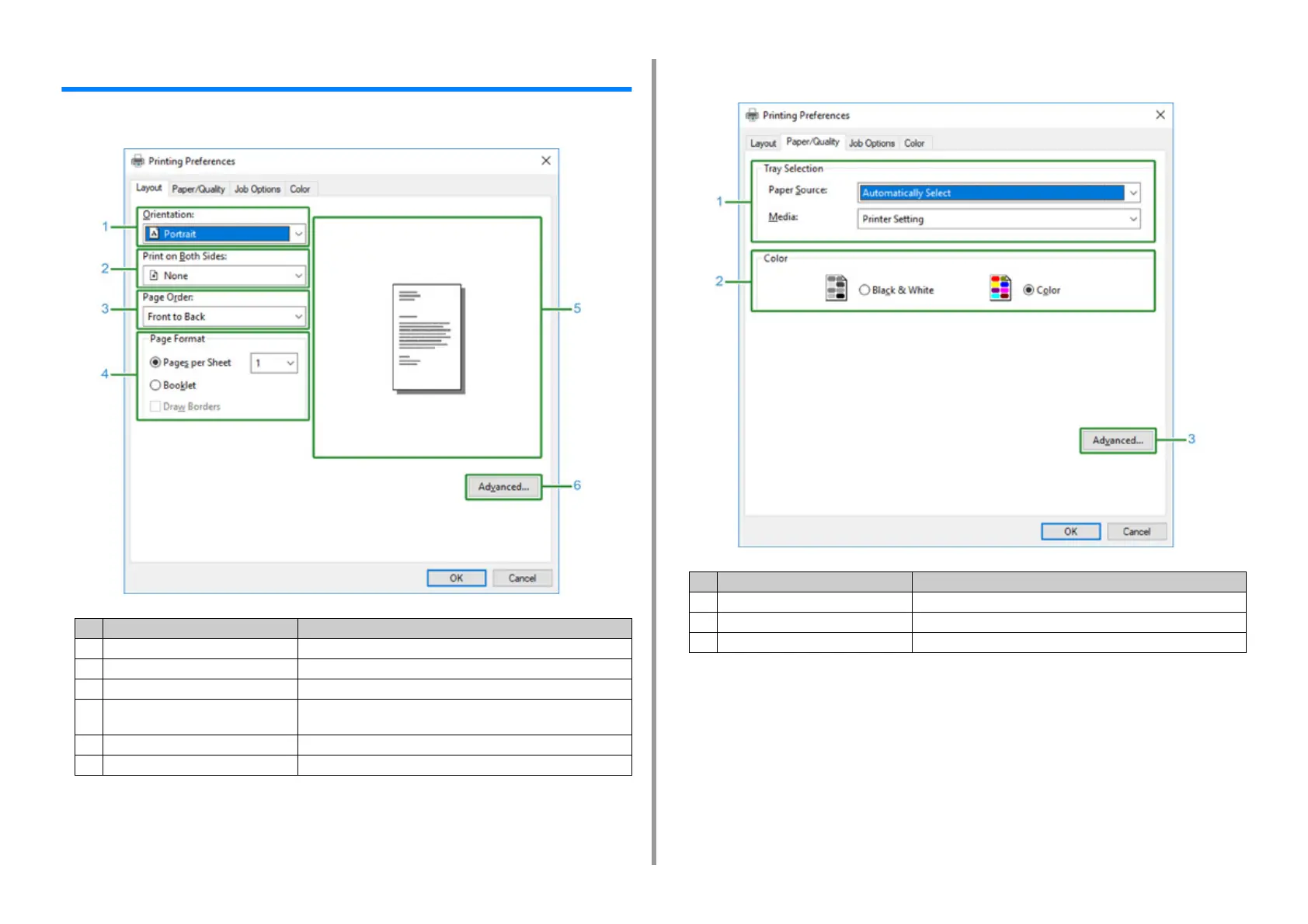
• [Layout] Tab
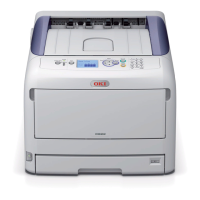
• [Paper/Quality] Tab
Item Description
1 Orientation Specifies the printing direction.
2 Print on Both Sides Specifies this setting when you want to perform duplex printing.
3 Page Order Specifies a page order to print.
4 Page Format Specifies the number of pages that is printed on a sheet of paper and
booklet printing.
5 Image layout Displays a sample image for the set layout.
6 Advanced Allows you to set detailed settings for print quality and a paper size.
Item Description
1 Tray Selection Changes the paper feed tray.
2 Color Selects Color or Black & White.
3 Advanced Allows you to set detailed settings for print quality and a paper size.



 To Next Page