EasyManua.ls Logo

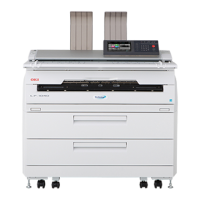
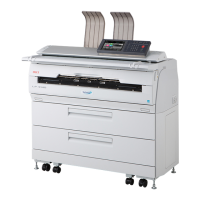
Oki Teriostar LP-1040-MF - User Manual

Oki Teriostar LP-1040-MF
290 pages
Print Icon
To Next Page IconTo Next Page
Loading...
Chapter
1
Before Use
Chapter
2
Basic Operations
Chapter
3
Menu Functions
Chapter
5
Chapter
6
Troubleshooting Appendix
Authentication
Function
Chapter
4
Print Job Box
Function
Wide Format Printer
Teriostar LP-1040 Series
LP-1040
Multifunction Model
Printer Model
LP-1040 -MF
User's Manual
for Basic Printer Operation
U10000139000 December, 2017 Rev. 2

Table of Contents

Other manuals for Oki Teriostar LP-1040-MF

Questions and Answers

  • P
    phillipskimAug 18, 2025
    What to do if my Oki Teriostar LP-1040-MF paper jams frequently?
    • W
      wtravisAug 18, 2025
      If your Oki Printer experiences frequent paper jams, consider these potential causes and solutions: * Ensure that the paper type setting matches the paper you are using. It is recommended to use OKI Data Infotech-specified paper. * Make sure the paper is set correctly in the printer. * Check for and remove any obstructions in the paper path.
  • R
    Regina SmithAug 20, 2025
    What to do if my Oki Teriostar LP-1040-MF Printer does not print?
    • K
      Kelsey SandovalAug 20, 2025
      If your Oki Printer is not printing, ensure the interface cable is correctly connected. Also, check for any error messages and take the action specified.
  • T
    timothy53Aug 23, 2025
    What to do if the 'Paper Jam' error appears on my Oki Teriostar LP-1040-MF?
    • M
      Michelle DukeAug 23, 2025
      If your Oki Printer displays a 'Paper Jam' error, remove the jammed paper by following the procedures described in the manual.
  • C
    connie99Aug 26, 2025
    What to do if my Oki Teriostar LP-1040-MF has an IP address already in use?
    • B
      Brittany BrandtAug 26, 2025
      If your Oki Printer's IP address is already in use, use the correct IP address to resolve the conflict.
  • J
    Joseph StewartAug 28, 2025
    Why is my Oki Teriostar LP-1040-MF Printer printing too dark or light?
    • S
      Shelley RobertsAug 28, 2025
      If your Oki Printer's output is either too dark or too light, try adjusting the print density settings to achieve the desired print quality.
  • S
    Stephen MercerAug 30, 2025
    How to fix Oki Teriostar LP-1040-MF when the power does not turn on?
    • H
      hartryanAug 30, 2025
      If your Oki Printer is not turning on, ensure that the printer's socket is correctly connected to the outlet and that the outlet is receiving power.
  • C
    Chloe MaxwellSep 2, 2025
    What to do if my Oki Teriostar LP-1040-MF Printer is printing partially missing information?
    • J
      John HodgeSep 2, 2025
      If your Oki Printer is producing printouts with missing parts, consider the following: * Verify that the paper type setting on the touchpanel matches the installed paper type. Replace the paper or change the touchpanel setting accordingly. * If the paper is moist, cut off the top of the roll paper installed in the Printer. * Ensure you are using OKI Data Infotech-specified paper. If not, install the correct paper type.
  • M
    Michael FieldsSep 4, 2025
    What to do if my Oki Teriostar LP-1040-MF Printer does not start or operate normally?
    • T
      Tina BullockSep 5, 2025
      If your Oki Printer is not starting or operating as expected, check the error message and follow the recommended actions.
  • B
    Bailey WashingtonSep 7, 2025
    What does it mean when the 'Door is Open' error appears on my Oki Teriostar LP-1040-MF?
    • T
      travismcdonaldSep 7, 2025
      If you receive a 'Door is Open' error message on your Oki Printer, simply close the door or drawer indicated in the message.
  • H
    Heather WhiteSep 9, 2025
    Why are black lines appearing on my Oki Printer printouts?
    • M
      Michele YoungSep 9, 2025
      If black lines are appearing on your Oki Printer's printouts, it may indicate that the service life of the process cartridge is ending. Try replacing the process cartridge.

Oki Teriostar LP-1040-MF Specifications

General IconGeneral
BrandOki
ModelTeriostar LP-1040-MF
CategoryPrinter
LanguageEnglish

Related product manuals