22 Download, install and activate application
6.1 Download and Installation
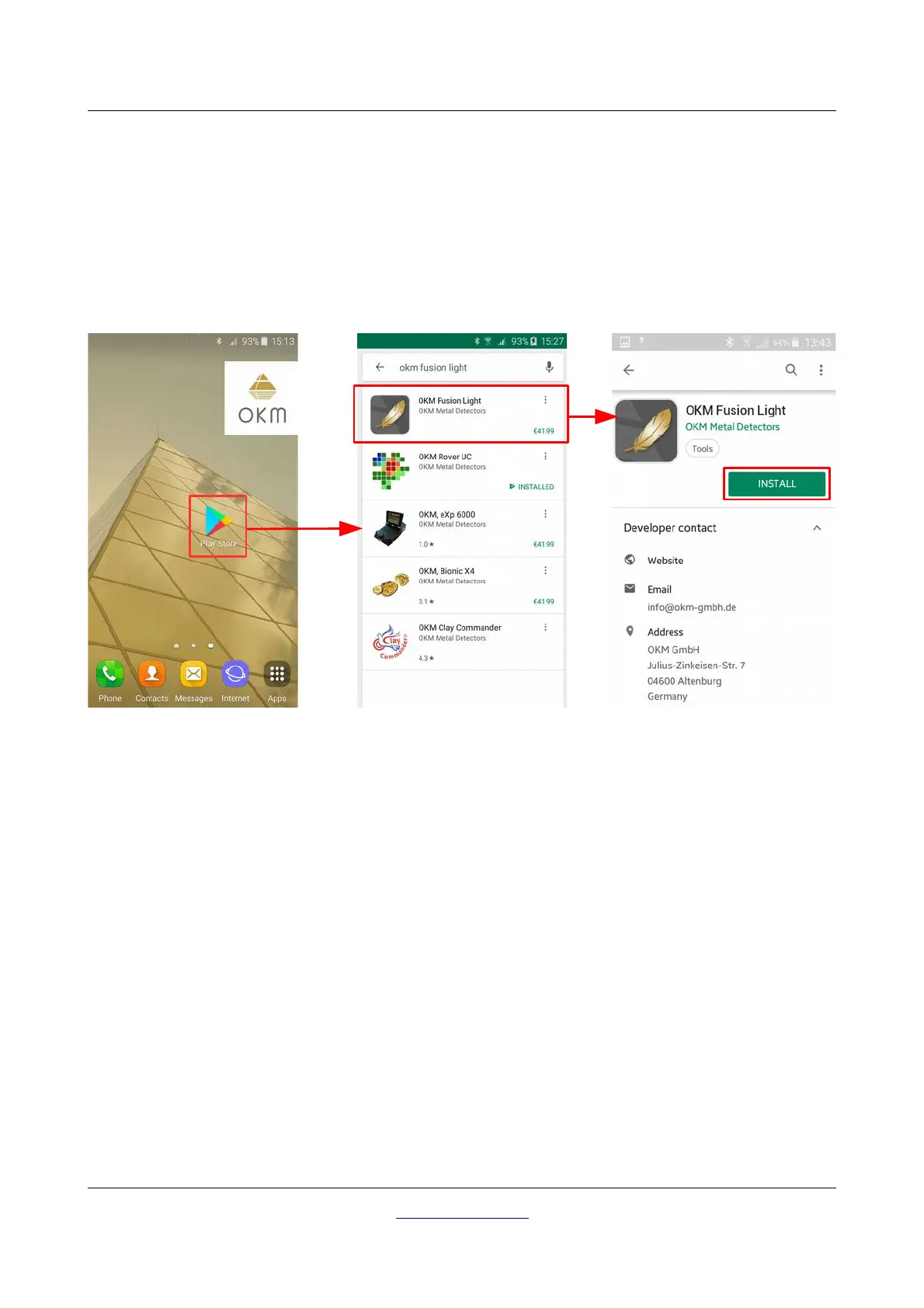
You can download the Fusion Light application for your smartphone directly from the Google Play store
(https://play.google.com).
In order to download the application, you will need a personal Google Account for the Google Play store.
Therefor run the Google Play application from your smartphone, as shown in figure 6.1 and follow the
instructions. If your account is ready, simply search for “okm fusion light” to find the application.
Now click on “Install” and follow the instructions on your smartphone to download and install the application.
After the application has been installed successfully, you can run it for the first time. Now your application
must be activated.
6.2 Activation
After running the application the first time, you have to process the activation to be able to use all functions.
In order to start the activation process, simply click the button "Activate application" (see figure 6.2).
There are two different ways to activate your Fusion Light application:
• Activation via QR code
Simply scan a QR code with your smartphone to activate your application.
• Manual activation
Enter information like serial number and activation code manually.
OKM GmbH
www.okmdetectors.com



 To Next Page