Download, install and activate application 23
6.2.1 Activation with QR code
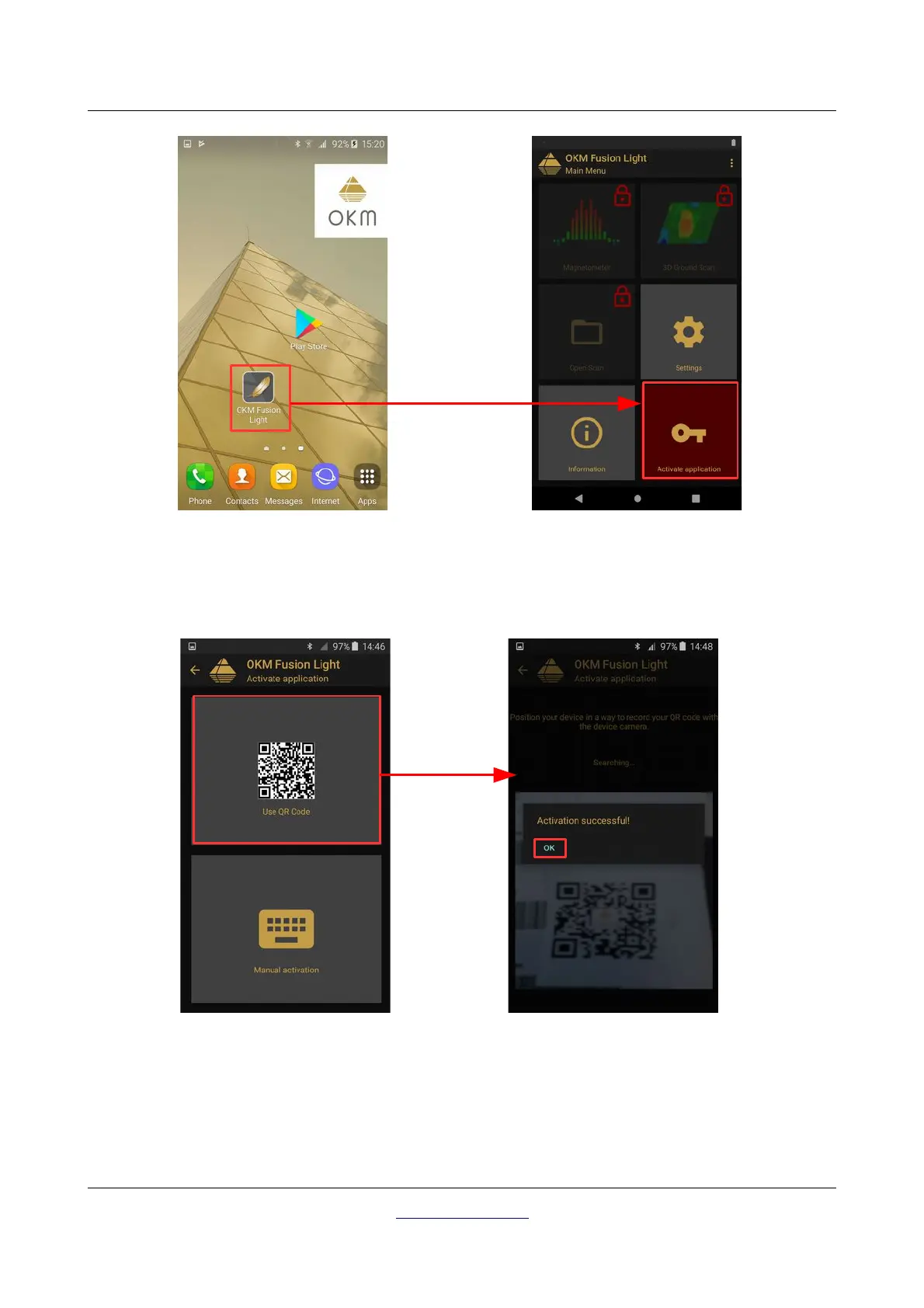
One way of activating your application is using the enclosed QR code. After selecting the option "Use QR
code", you have to position your smartphone's camera to the QR code.
If the code gets recognized by your application correctly, the activation will succeed and you may use your
Fusion Light. In case you are using a different Fusion Light with this application at a later time, you will have
to change your activation accordingly and repeat the activation process.
OKM GmbH
www.okmdetectors.com
Figure 6.3: Scan QR code to activate the application
Figure 6.2: Start activation



 To Next Page