36 Operating modes
7.3.5 Data Transfer to PC (optional)
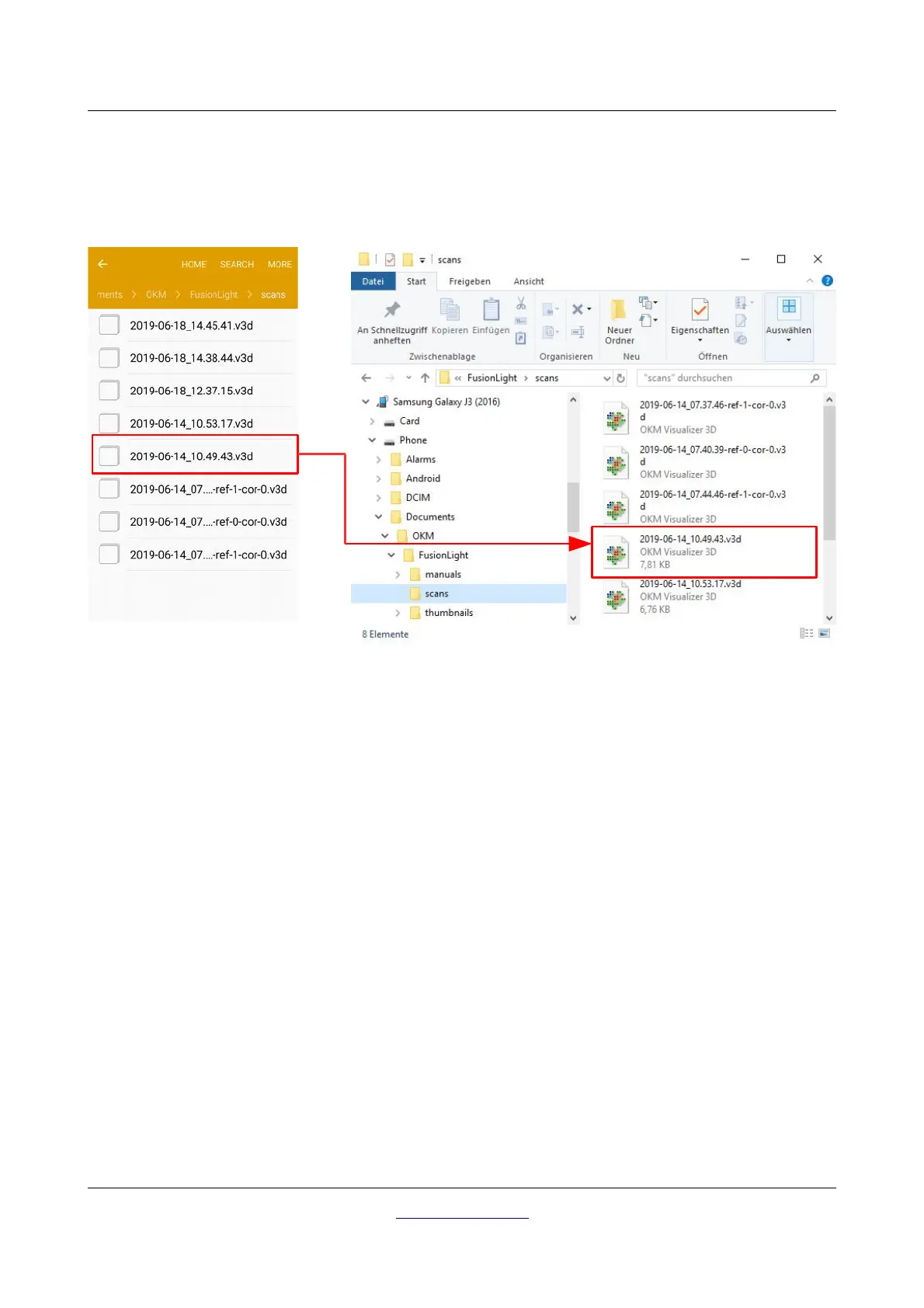
To perform further data analysis, the measurements can be transferred to a PC via USB cable. The data must
be saved on the PC's hard drive prior to opening the individual scans with “Visualizer 3D” software.
Figure 7.11 shows previously saved scan images within the Android folder system. The scan images are
usually located in Device Storage > Documents > OKM > FusionLight > scans.
The following folders are used by the Fusion Light application:
• Device Storage > Documents > OKM > FusionLight > thumbnails
This folder contains all generated thumbnails that are shown inside the application to preview the
stored scan images. If you delete those files you won't see any preview image when opening
stored scans.
• Device Storage > Documents > OKM > FusionLight > scans
This is the folder where all scan images are stored. These can be transferred for additional data
analysis to a computer with “Visualizer 3D” software.
• Device Storage > Documents > OKM > FusionLight > manuals
This is the folder where all user manuals are located. If you delete one of the manuals you can
download the current one from the right top menu bar in the main menu.
OKM GmbH
www.okmdetectors.com



 To Next Page