Operating modes 27
7.1 Establishing a Bluetooth connection
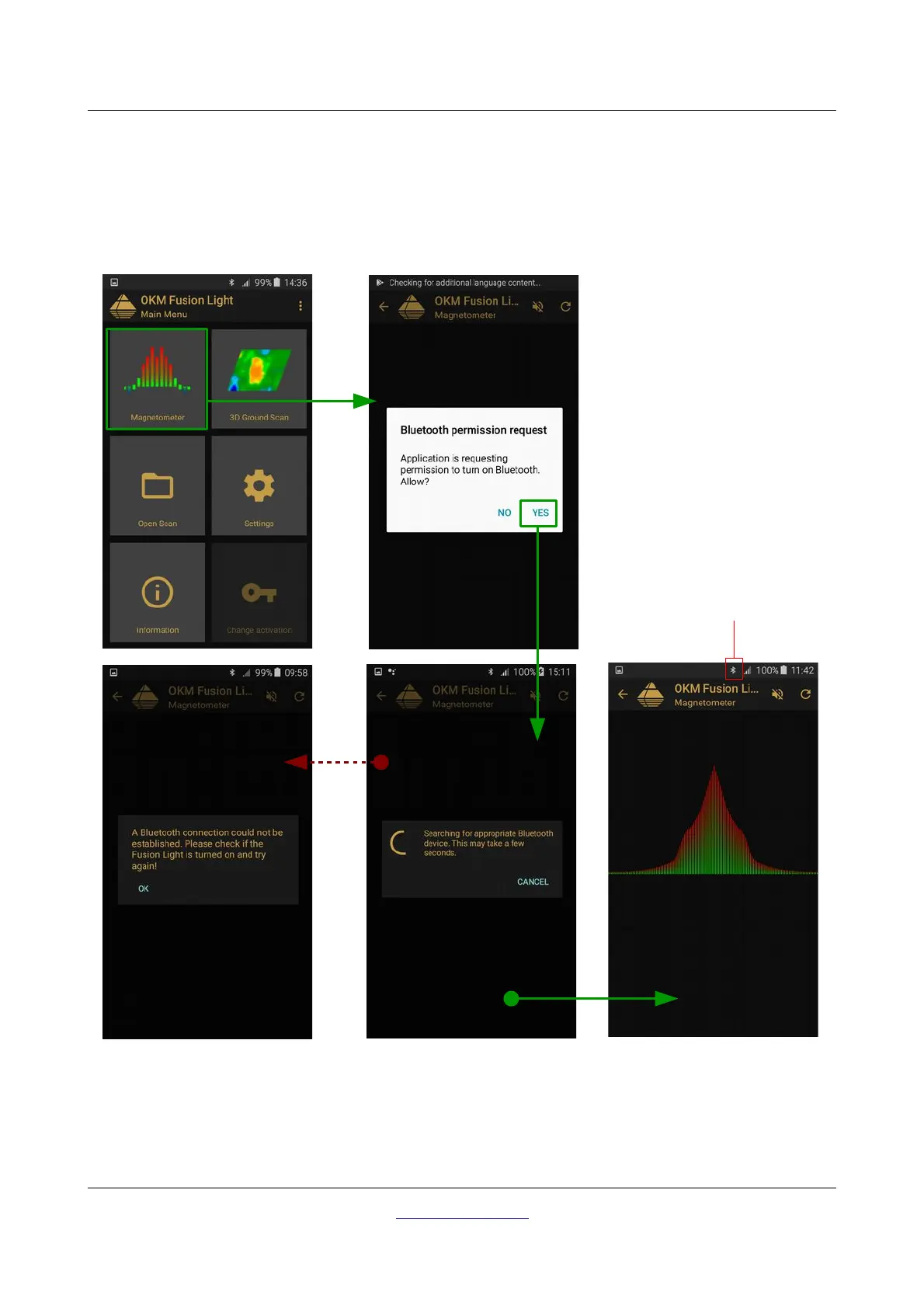
Before any data can be transferred, a Bluetooth connection must be established between the Fusion Light
control unit and the smartphone. This process will start automatically when a connection is required. Figure
7.2 is a graphical depiction of the Bluetooth connection process when entering the “Magnetometer” function.
After the desired function is selected, the internal Bluetooth module should be automatically activated. In
the event that it does not automatically activate, then a prompt will appear stating that it is not active and will
OKM GmbH
www.okmdetectors.com
Figure 7.2: Graphical depiction of a Bluetooth connection



 To Next Page