Field procedure 41
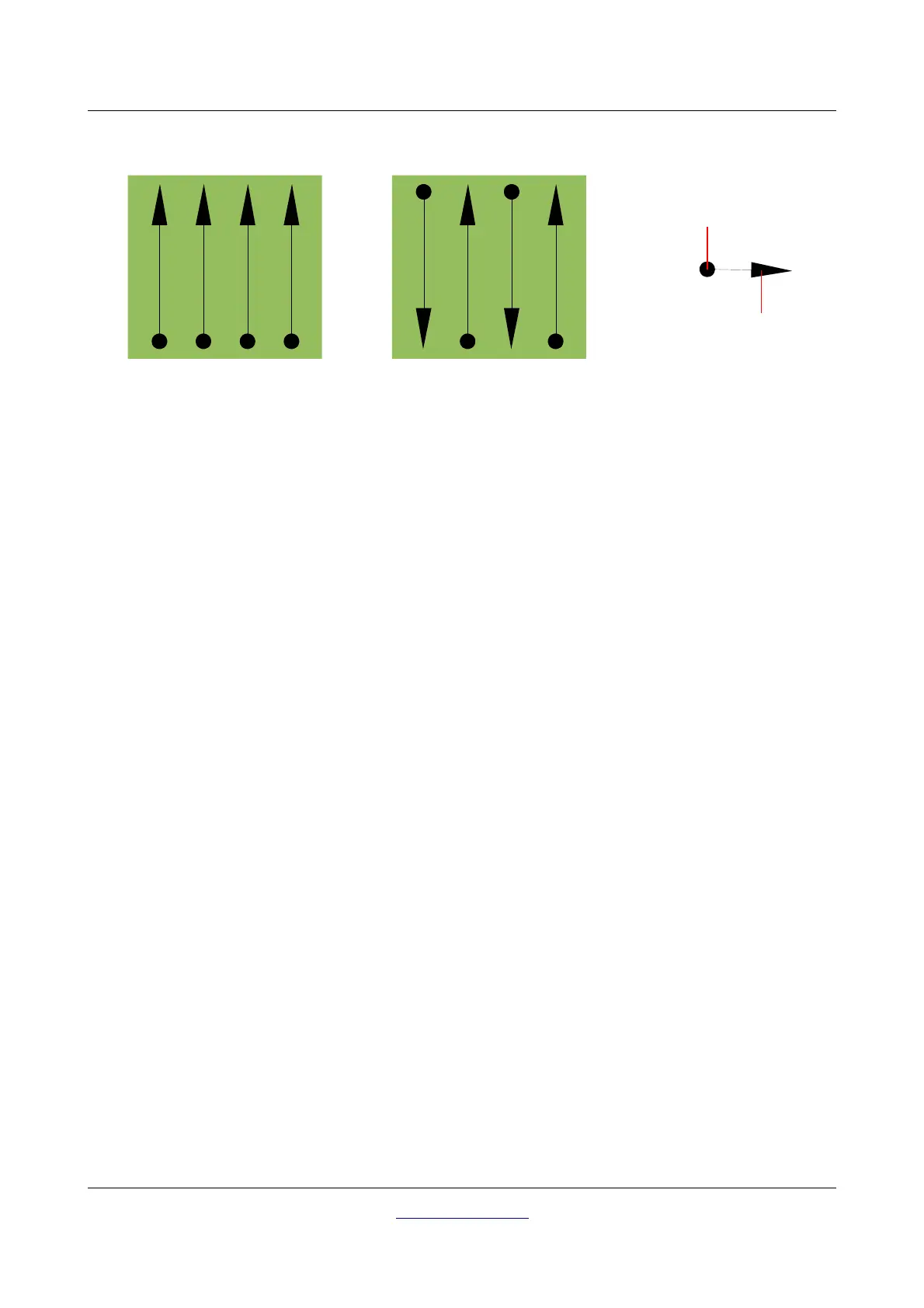
Doing the scan in "Parallel" mode you will start on the bottom right corner of your scan area (point ) to
walk and record a scan path towards the upper right corner of the area. After recording the first line, you
should walk back to the starting point and move to the left of the first scan line to start the scan path 2 (point
), to start there the second scanning path. In this way all other paths will be scanned, until you have
reached the left side of your measure area.
Doing the scan in "Zig-Zag" mode you will start also from the bottom right side of your measure area (point
) to walk and record a scanning path towards the right upper corner of the measure area. Different from
the parallel measurement, you should continue recording data while walking back the second scanning path.
So you go to the starting point of the second scanning path (point ) and scan in the opposite direction. In
this way, all other paths will be scanned in the scan mode "Zig-Zag" until you have reached the left side of
your measure area.
The distance between the scanning paths should be consistent during one measurement but can vary from
measure area to measure area. If you mostly look for smaller targets than you should also select a smaller
distance between the lines. A standard rule is: The smaller the distance between the paths, the more
accurate your scans will be. When you are conducting your first scans the lines should not be to close
together to locate possible targets.
8.1.2 Regulation of the number of impulses per scanning path
It is possible to select the number of impulses before starting the measurement or selecting the automatic
mode ("Auto") to adjust the number of measure points after finishing the first scanning path.
When the number of measure points has been configured, the device will stop automatically when this
number has been reached and waits for the start of the new scanning path.
In the automatic mode you should stop the measurement of the first scanning path by yourself, by pressing
the appropriate button, as soon as you have reached the end of the first scanning path. This effective amount
OKM GmbH
www.okmdetectors.com



 To Next Page