5699-E P-22
SECTION 3 OPERATION (OF CNC LATHE)
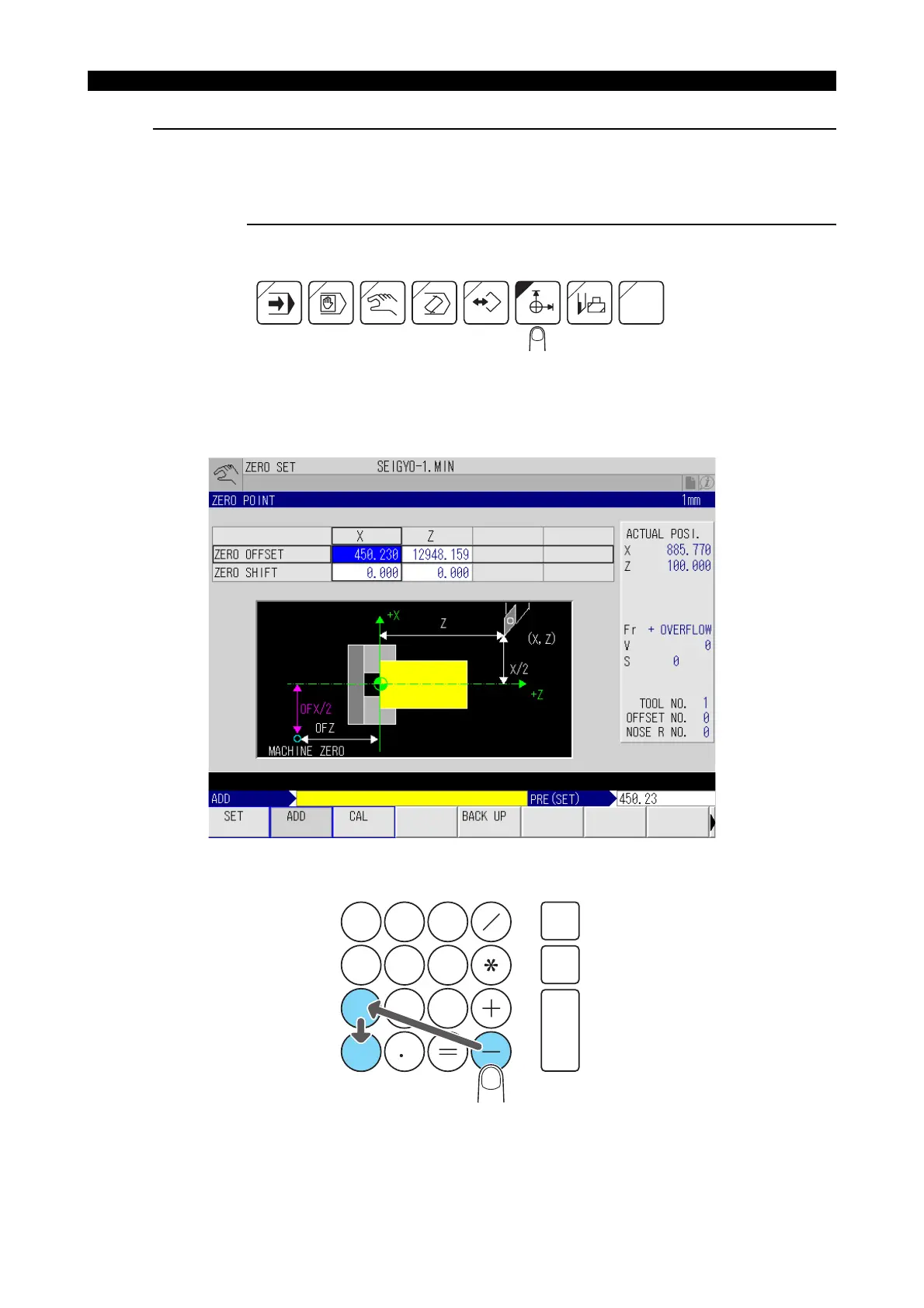
Where the stored zero offset value is to be modified:
Example:
X
0
=450.230..........to subtract 10.000
Procedure :
1- Select the ZERO SET mode by pressing the ZERO SET key.
LE11214R0100500090001
2- With the cursor control keys, move the cursor to the data column ZERO OFFSET for X.
3- Press the function key [F2] (ADD).
LE11214R0100500090002
4- Key in [-][1][0] through the keyboard.
LE11214R0100500090003
P
MacMan
7
8
5
2
9
6
3
4
1
0
CAN
WRITE
BS



 To Next Page