
 Need help?
Do you have a question about the Olimpia splendid maeStro Pro and is the answer not in the manual?
Basic introductory text about the appliance and manual.
Explains pictograms used in the manual for clear communication.
Safety precautions and general guidelines for electrical equipment use.
Information on the climate control appliance containing fluorinated gas.
Guidelines for using the air-conditioner exclusively for its intended purpose.
Specifies environments where climate controllers must not be installed.
Details all parts included with the climate control system package.
Instructions for storing the unit cartons in a protected environment.
Procedures for checking and unpacking delivered units for damage.
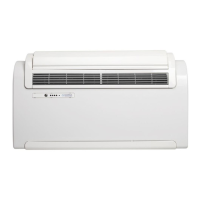
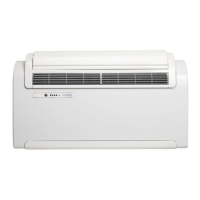
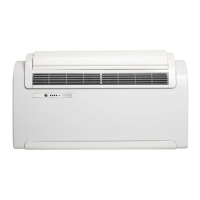
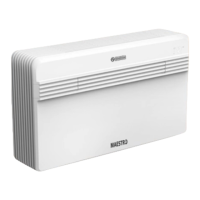
Identifies and labels the main components of the air conditioner.
Guidance for correct installation to achieve optimal results and performance.
Considerations for calculating heat load and room suitability for installation.
Requirements for indoor unit placement to ensure optimal operation and safety.
Steps for assembling the unit, including pipe length and grille requirements.
Detailed instructions for drilling holes for air ducts according to template.
Procedures for connecting the condensate drain pipe for heat pump and cold-only machines.
Instructions for fitting plastic sheets, external grids, and springs.
Steps for preparing the unit's rear cover for air ducts or suction channels.
How to fix support brackets to the wall using screws and plugs.
Procedures and checks for safely connecting the appliance to the power supply.
Options for installing the unit either adjacent to the floor or ceiling.
How to adjust electronic configuration for floor or ceiling placement.
Configuration and use of inputs for activating ENERGY BOOST or SYSTEM ENABLE.
Important safety advice regarding installation and electrical connection by specialized personnel.
Explanation of keys and LEDs located on the appliance's control panel.
List of display codes and LED indicators for operating conditions.
Guide on handling the remote control and its basic operation.
Instructions for correctly inserting batteries into the remote control compartment.
Guidelines for replacing batteries and handling old ones properly.
Advice on positioning the remote for optimal signal reception.
Detailed explanation of the remote control's keys and display symbols.
Identification and function of each key on the remote control.
Explanation of the icons and information shown on the remote control's display.
Overview of the various operating modes and functions of the air conditioner.
Procedures for turning the unit on, off, and managing its operation via remote.
How to activate the energy conservation function for optimized efficiency.
Method for activating or deactivating the air conditioner using the remote.
Instructions for using the cooling mode to dehumidify and cool the room.
How to use the dehumidification function for removing excess humidity.
Guide to operating the unit solely for air circulation without temperature control.
How to use the automatic mode for regulated temperature and fan speed.
Instructions for using the heating mode on models equipped with a heat pump.
How to adjust and lock the air outlet deflector for desired airflow direction.
How to select and adjust fan speed settings for different operating modes.
How to activate the SILENT function for reduced noise and optimized power.
Instructions for setting timer programs for automatic activation and deactivation.
Practical tips for reducing energy consumption of the air conditioner.
Procedures for cleaning the appliance and its remote control.
How to clean the main unit and the remote control using appropriate cloths.
Step-by-step guide for extracting, washing, and reassembling the air filters.
Guidelines for performing maintenance operations when idling the unit.
Outlines minimal routine maintenance operations for the air conditioner.
Instructions for draining condensate water during system anomalies.
Information on diagnosing operational problems, alarms, and inconveniences.
Distinguishing functional issues from true anomalies for user troubleshooting.
Explains normal operational events that might be mistaken for faults.
Lists display alarm codes and descriptions for troubleshooting.
Table correlating malfunctions with their causes and corrective actions.
 General
| Brand | Olimpia splendid |
|---|---|
| Model | maeStro Pro |
| Category | Inverter |
| Language | English |




 To Next Page
