2-42 d-COLOR MF654/MF554/MF454/MF364/MF304/MF254
Loading paper
2
2.8
2.8 Loading paper
2.8.1 Loading paper in Tray 1 to Tray 4
Up to 500 sheets of plain paper can be loaded into each tray. Tray3 and Tray4 are optional.
Applicable paper types
Plain paper, single-side-only paper, thin paper, special paper, thick paper, letterhead, colored paper, and re-
cycled paper
How to load paper
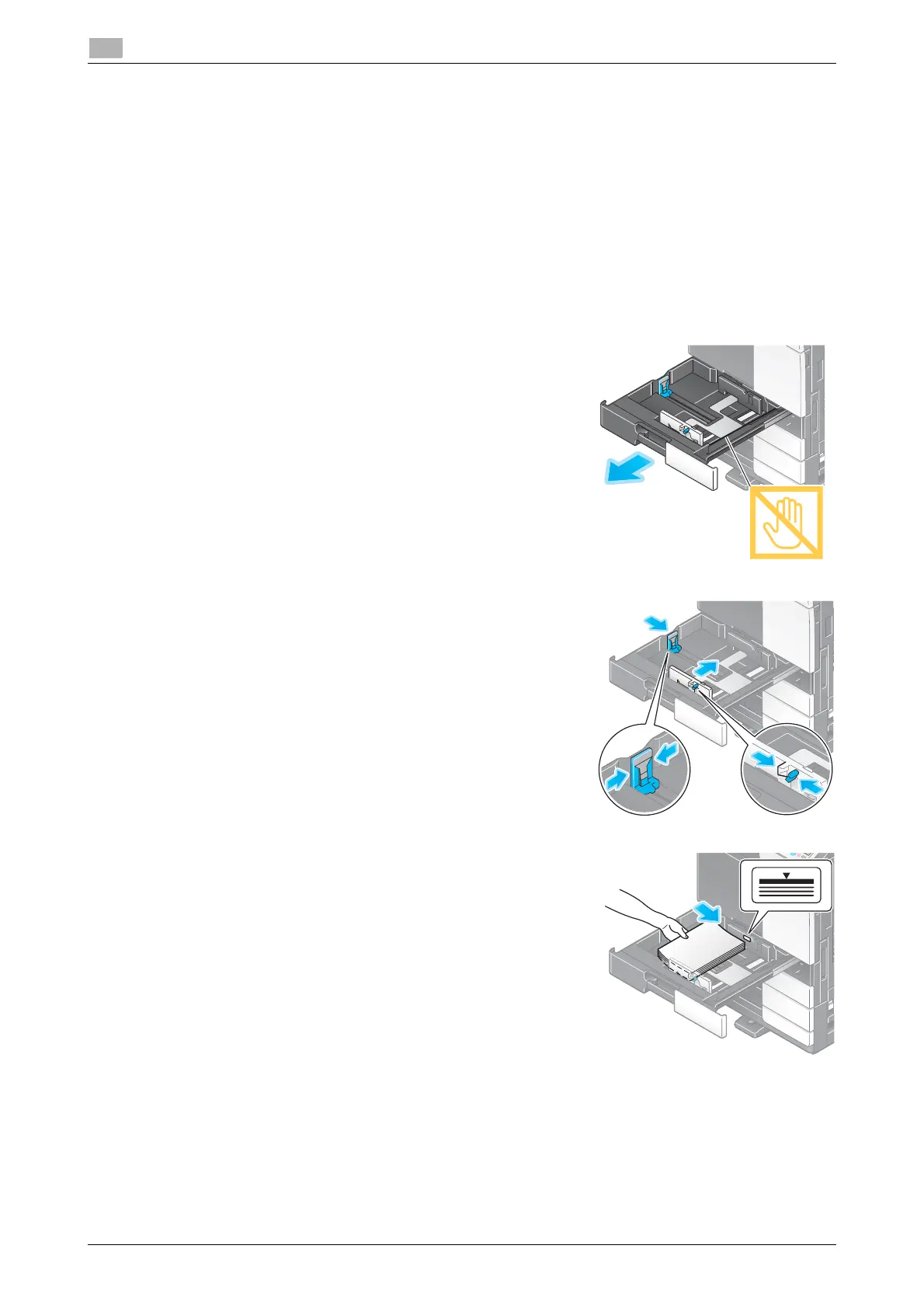
1 Pull out the tray.
NOTICE
Be careful not to touch the Film.
2 Slide the Lateral Guide to fit the size of the paper to be load-
ed.
3 Load paper into the tray.
% Load paper into the tray with the print side facing up.
4 When loading paper other than plain paper, specify the paper type.
% For details, refer to the User's Guide CD/DVD.










 To Next Page