11
ENGLISH
Training Report
This report provides an X or Z report of the transactions
performed in the training mode. Like the ordinary X and Z
financial reports, a Z report resets all transaction totals to
zero and provides the same information as an ordinary X or
Z financial report with the exception that the report identifier
is "X0" or "Z0".
1. Control dial position: X1/X2 or Z1/Z2. Bear in mind that in
the Z position the training report contents are cleared.
2. If a training mode password was defined, type the
[4-digit password] and press
.
3. Press
.
Clearing the Grand Total
1. Control dial position: PRG
2. Press
.
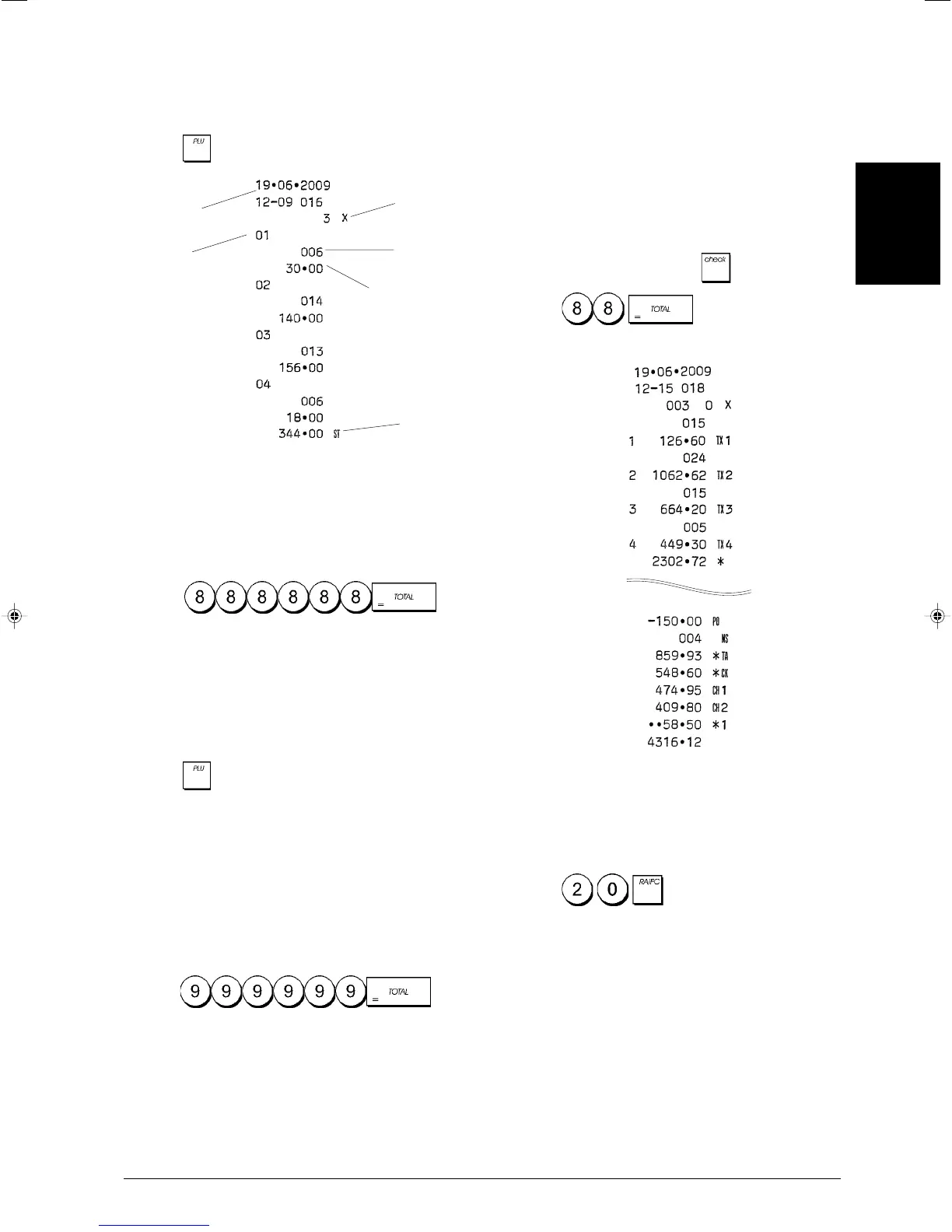
PLU Sales Report
1. Turn the control dial to the X1/X2 or Z1/Z2 position (bear
in mind that a Z PLU Report resets all PLU totals to zero).
2. Press
.
Department Programming Report
This report provides a printout showing how your depart-
ments are programmed. It provides the status, associated
VAT and associated price for each department.
1. Control dial position: PRG
2. Press
.
PLU Programming Report
This report provides a printout showing how the PLUs are
programmed. Their number, associated price, VAT rate (if
applicable) and associated department are reported on this
receipt.
1. Control dial position: PRG.
2. Press
.
Cash Register Programming Report
This report provides a printout showing how your cash
register is programmed. It lists the values that are pro-
grammed for all system options, the VAT rates, foreign
currency exchange rates and percent minus value pro-
grammed, the manager password and training mode pass-
word assigned, and the three-digit security code assigned
to the clerks.
1. Control dial position: PRG
2. Press
.
PLU number
X report
identifier
PLU sales
total
Date
All PLU
sales total
PLU quantity
sold















 To Next Page