24
Registering Money Received on Account
Up to 7 digits can be used for registering money received
on account.
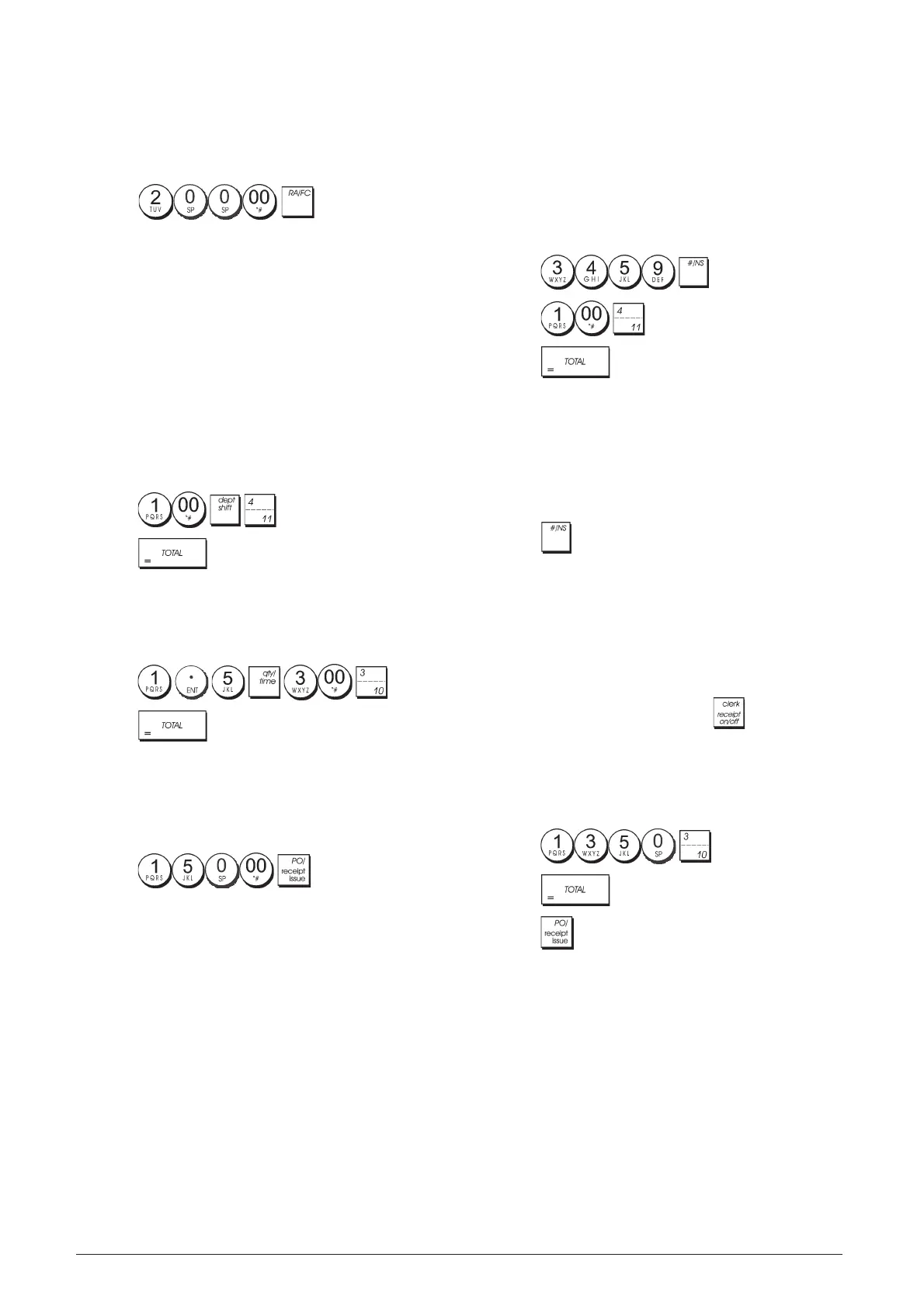
Example: Register € 200.00 received on account.
1. Press .
The cash drawer opens and the transaction is recorded on
receipt.
Registering Negative Department
Transactions
As prerequisite to negative department transactions,
program a normal department to a negative status as
explained in section "Link Multiple/Single Item Sale, Tax
Status and Item Price to a Department". These transactions
are useful when the clerk pays back money to the customer,
such as the refund of a deposit.
Example: With Department 11 activated for Single,
negative item sales, register a deposit refund of € 1.00 for
the return of bottles.
1. Press
2. Press
.
Registering Product Quantity Transactions
Example: Register the sale of 1.5 Kg of apples costing
€3.00 per kilogram to Department 3.
1. Press
.
2. Press
.
Paying Money Out
Up to 7 digits can be registered for money paid out.
Example: Pay out € 150.00.
1. Press
.
The cash drawer opens and the transaction is recorded on
receipt.
Registering an Identification Number to a
Transaction
Up to 7 digits can be used for the identification number. This
entry can be made prior to any operation. The identification
number is not added to the management report or totals.
Example: Assign the identification number 3459 to a
€ 1.00 sale to Department 4. Enter an exact cash tender
sale.
1. Press .
2. Press .
3. Press
.
Registering a No Sale
This operation opens the cash drawer and prints a no sale
receipt. The activity is registered to the activity counter in
the financial report.
If you do not want to print a no sale receipt, change Machine
Condition 42 to 1. See "System Options" for details.
1. Press
.
Issuing a Copy of the Last Sales Receipt
You can print a copy of the last receipt issued. For this
feature to be operational, Machine Condition 16 must be
set to its default value 0 (multiple receipts allowed). See
"System Options" for details.
NOTE: This feature will override the non-print mode, if
previously activated, by pressing outside of a
transaction.
Example: Register a € 13.50 sale to Department 3 and
enter an exact cash tender sale. Print a copy of the sales
receipt.
1. Press
.
2. Press
.
3. Press .


 To Next Page
 Loading...











