Help
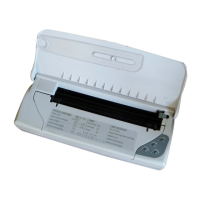
On the top side of the front cover, there is label illustrating a
number of light indicator configurations and key sequences.
Embossed on the inside of the front cover, there are the
instructions for replacing the print head.
See figures on
page XII and “User Interface” in the User Guide for
further details.
If you have any problems setting up and/or operating the
printer, check that you have followed the specific procedure
correctly. If you are unable to solve the problem or require
further information,
refer to the section entitled “Problems
and Solutions” in Troubleshooting in the User Guide.
English
Quick Start 7












 To Next Page