User Interface
Templates
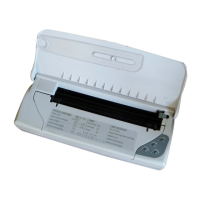
Your printer has two instruction templates (see examples on
page XII) to help you when you are using the printer.
•
one, on the upper side of the front cover, shows a number
of the key and light indicator functions.
•
the other, containing the instructions for the
insertion/replacement of the print head, is embossed on
the inside of the front cover.
Operator Panel
This section describes the functions of the keys and
indicator lights on the operator panel.
Basic key functions
Function Key(s) Indication
PrinterOn/Off POWER
(less than 4s.)
TogglestheprinterON/OFF
condition.
WhenthePOWERlightindicator
isoff,pressingthiskeywillswitch
theprinteron.
WhenthePOWERlightindicator
islit,pressingthiskeywillswitch
theprinteroff.
Printerready/
Pause
ON LINE
(less than 4s.)
TogglestheprinterON-/OFF
LINEcondition.
When theprinterisONLINE,the
ONLINElightindicatorislitand
theprinterisundercomputer
control.
When theprinter is OFFLINE,
theprintheadcarriageisinits
restposition,theONLINElight
indicatorisoffandanyprinting
operationissuspended.
English
User Guide - User Interface 9












 To Next Page