Function Key(s) Indication
Hex-dump POWERand
FORM FEED
With theprinter
OFF
,press
the keys simultaneously;
release first POWER then
FORM FEED.
Sets the printer to operate in
hexadecimal mode (see
Troubleshooting
).
The ON LINE flashes while a
hex-dump operation is in
process.
To exit from hex-dump
mode, the printer must be
switched off.
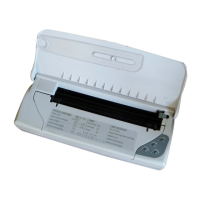
The template on the upper side of the front cover of the
printer illustrates some of the special key functions indicated
in the above table.
Light indicators
LED Status Indication
POWER lit The printer is switched on.
off The printer is switched off.
flashing slowly The batteries/battery pack
is low (approximately 5
standard pages can still be
printed).
flashing rapidly The batteries/battery pack
is discharged (they/it must
be recharged or replaced).
ON LINE lit The printer is ON LINE.
off The printer is OFF LINE.
flashing slowly Data is being processed.
FORM FEED flashing slowly There is no paper in the
ASF.
CARTRIDGE flashing slowly “End of ink” condition.
flashing rapidly Change print head (the
print head currently inserted
is not compatible with the
file transmitted for printing),
or
no print head in printer, or
print head not inserted
correctly.
(continued)
English
User Guide - User Interface 11












 To Next Page