Cash Register CM 75 / 760 / 761 / 762
Olympia
2010 Page 8 Specifications subject to change without notice!
2 Starting Up
2.1 Inserting a paper roll
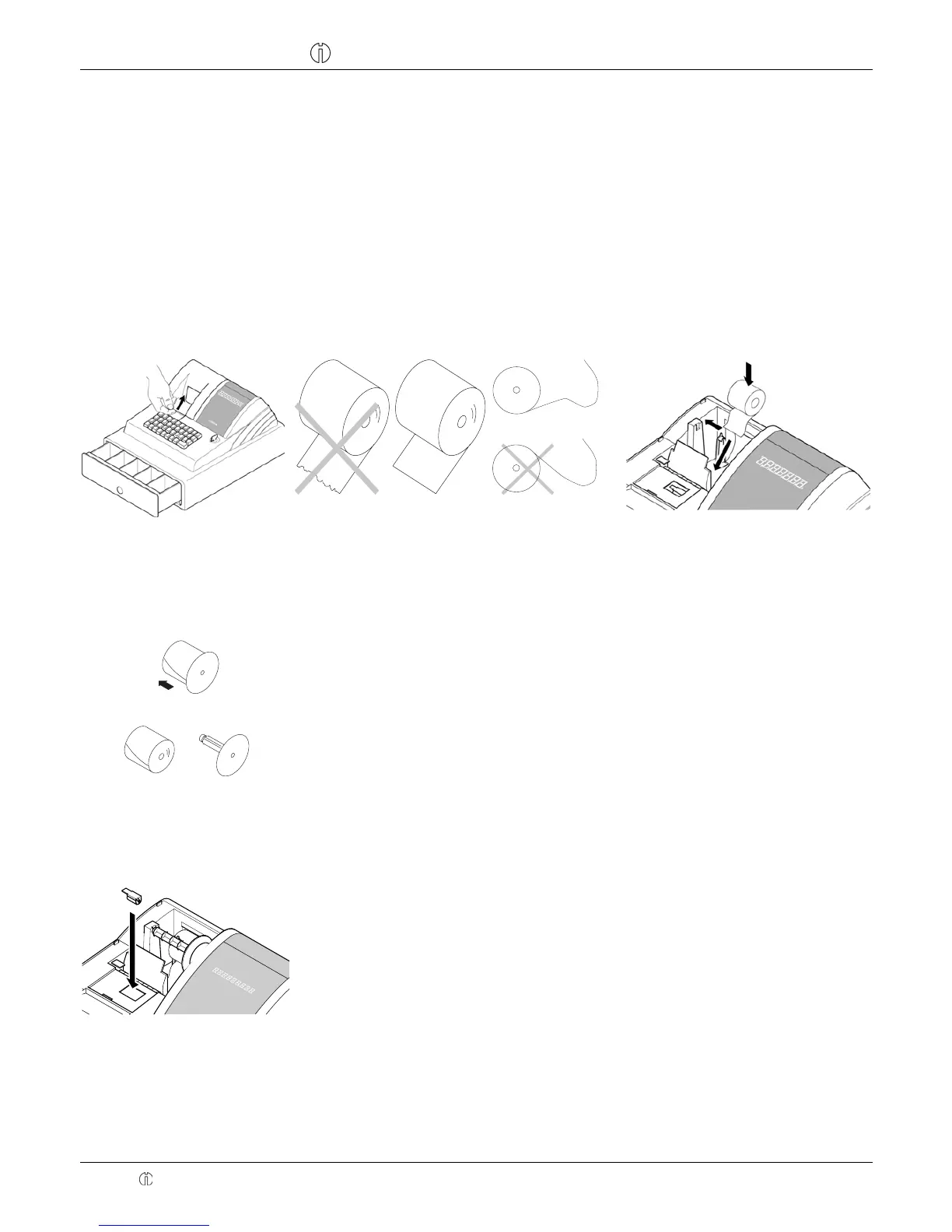
1. Open the printer lid.
2. Insert a paper roll of 57 mm width and max. 70 mm diameter. Do not use recycled paper because it wears the printer
more quickly.
3. Prepare the paper roll for insertion.
4. Thread the end of the paper roll, which has been cut straight, into the printer mechanism and press the Feed key
until approx. 10 cm of it has been transported.
5. Depending on the intended use (calculation or journal mode), thread the paper strip through the slot in the printer lid
and tear off the paper strip on the lid's tear-off edge.
6. In the case of journal mode, thread the paper strip in the paper reel. Close the printer lid.
2.2 Paper reel
The paper reel is required when the receipt should be wound onto it.
Change the system setting no. 18 to 1.
1. Open the printer lid.
2. Remove the paper reel.
3. Thread the end of the journal paper in the slit in the paper reel.
4. Insert the paper reel in the reel guides provided for it.
5. To remove the journal paper after it has been rolled up on the reel, remove the
paper reel and pull the journal roll off.
6. Reinsert the paper reel.
7. Close the printer lid.
2.3 Changing the ink ribbons
Note: Only use original ink ribbons (Group IR-30 for CM 75, IR-40, Size # 744 for CM 760 / 761 / 762).
1. Open the small flap in front of the printer lid.
2. Lift out the ink ribbon using the grip (left).
3. Insert a new ink ribbon in the guide.
4. Close the printer lid.



 To Next Page