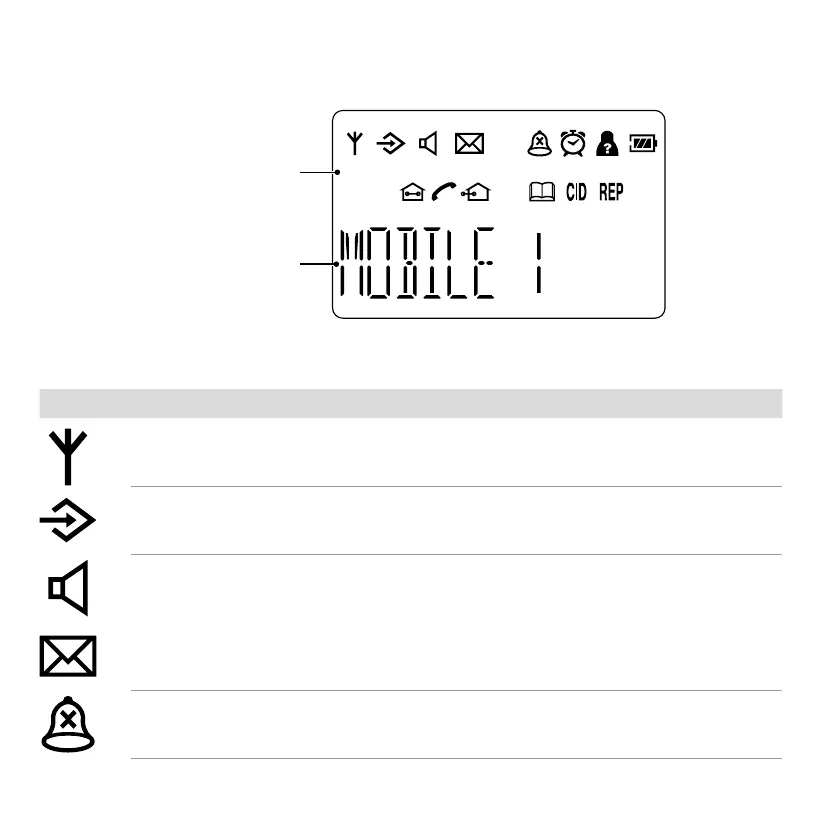
Display
icons
handset name
The table below explains the icons which appear in the display�
Symbol Signicance
Signal strength between the handset and base station (ashes when moving out
of range; goes out when there is no contact with the base station)
Navigate in the menu
Handsfree function has been switched on
Voice messages have been recorded but not played back
Ringing tone has been deactivated



 To Next Page