Putting the Telephone into Operation
CONNECTING THE BASE STATION
Putting the Telephone into Operation
The DECT 5000 cordless telephone is comprised of a base station and a handset� Connect
the base station and handset as described in this section�
Connecting the Base Station
Well deciding on the installation location, take the range of the base station into account� It
has a range of about 50 metres but this can be reduced by walls or ceilings, for example�
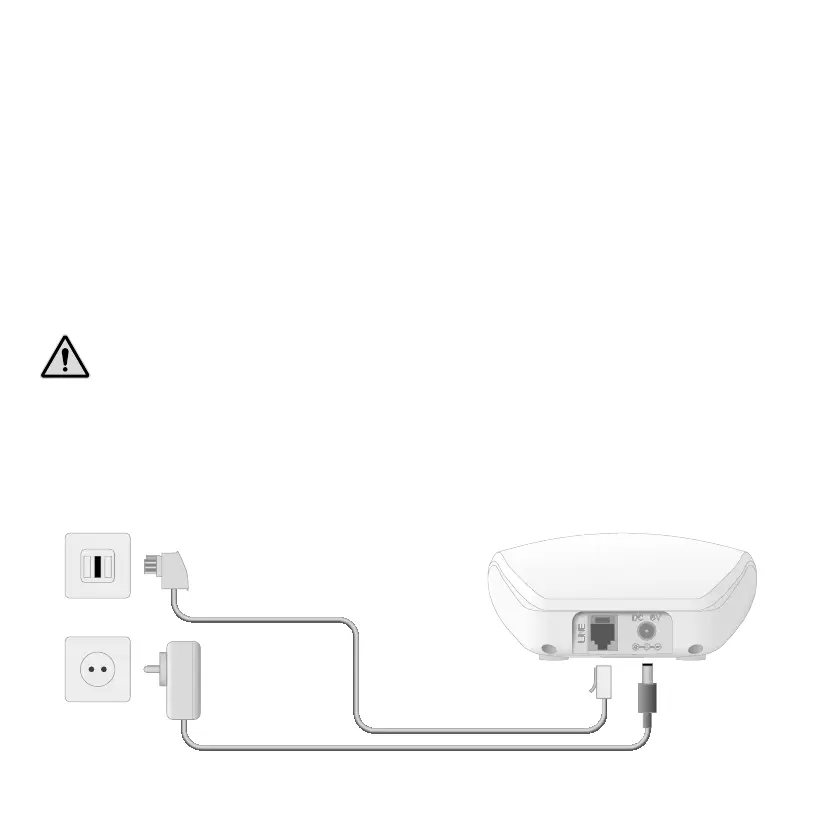
1 Connect the telephone line connection cable to a telephone line connection socket� Alter-
natively, connect the base station to a telephone system or a router� Further information
is provided in the operating manual supplied with the respective device�
WARNING! Only use the power adapter supplied! The power adapter may only
be used with power sources which comply with the information on the rating plate�
Never attempt to operate the phone using a different voltage�
2 Connect the power adapter connector to the power adapter socket in the base station
and to a properly installed power socket�



 To Next Page