EN-2 BTX III — Getting Started Guide
Connections
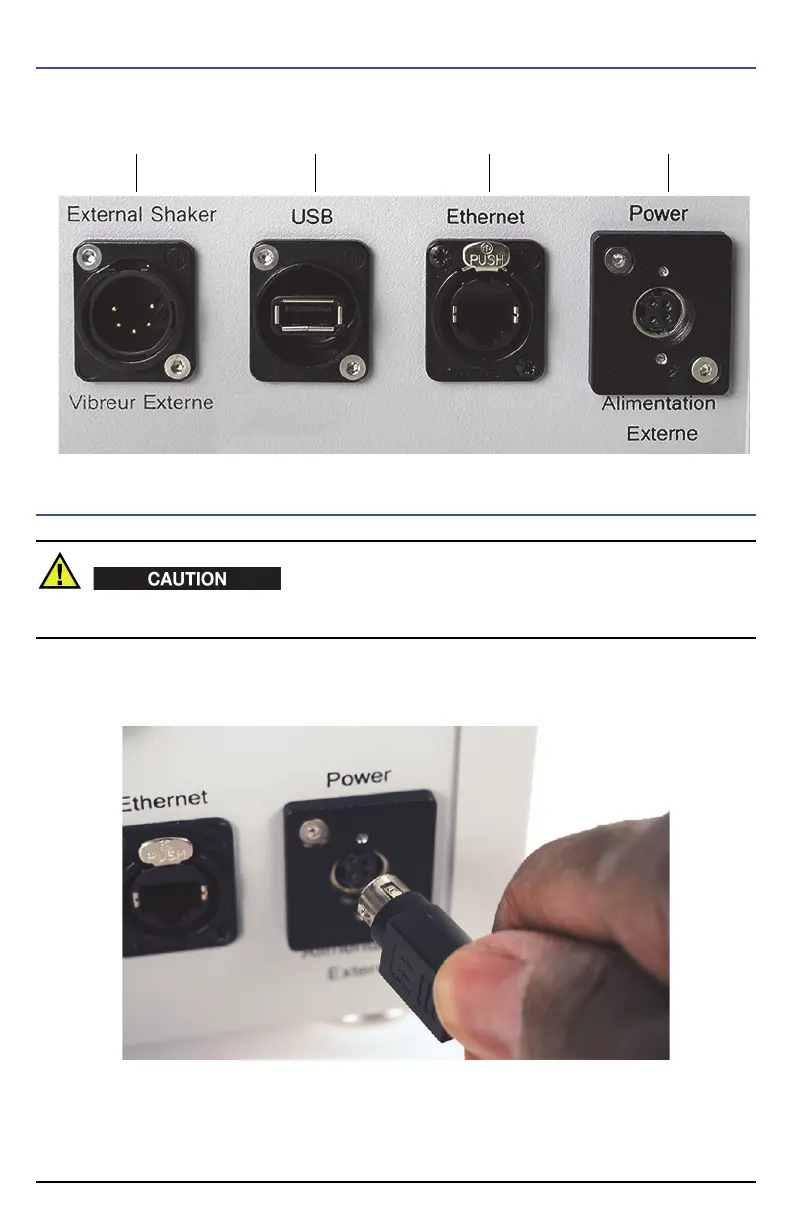
All connectors are on the rear of the analyzer.
To Connect AC Power to the BTX III
If an unauthorized power supply cord is used to power the instrument, Olympus cannot guarantee
the electrical safety of the equipment.
1. Hold the power supply output plug in the orientation shown, and then insert it into the rear panel
Power connector.
2. Plug one end of the AC power cord firmly into the power supply.
3. Plug the other end of the power cord into a live AC (mains) power outlet.
Power connector
USB connector
Ethernet connector
External Shaker connector












 To Next Page