EasyManua.ls Logo

Olympus BX60 - Metallurgical Microscopy

Olympus BX60
47 pages
Print Icon
To Next Page IconTo Next Page
To Previous Page IconTo Previous Page
Loading...
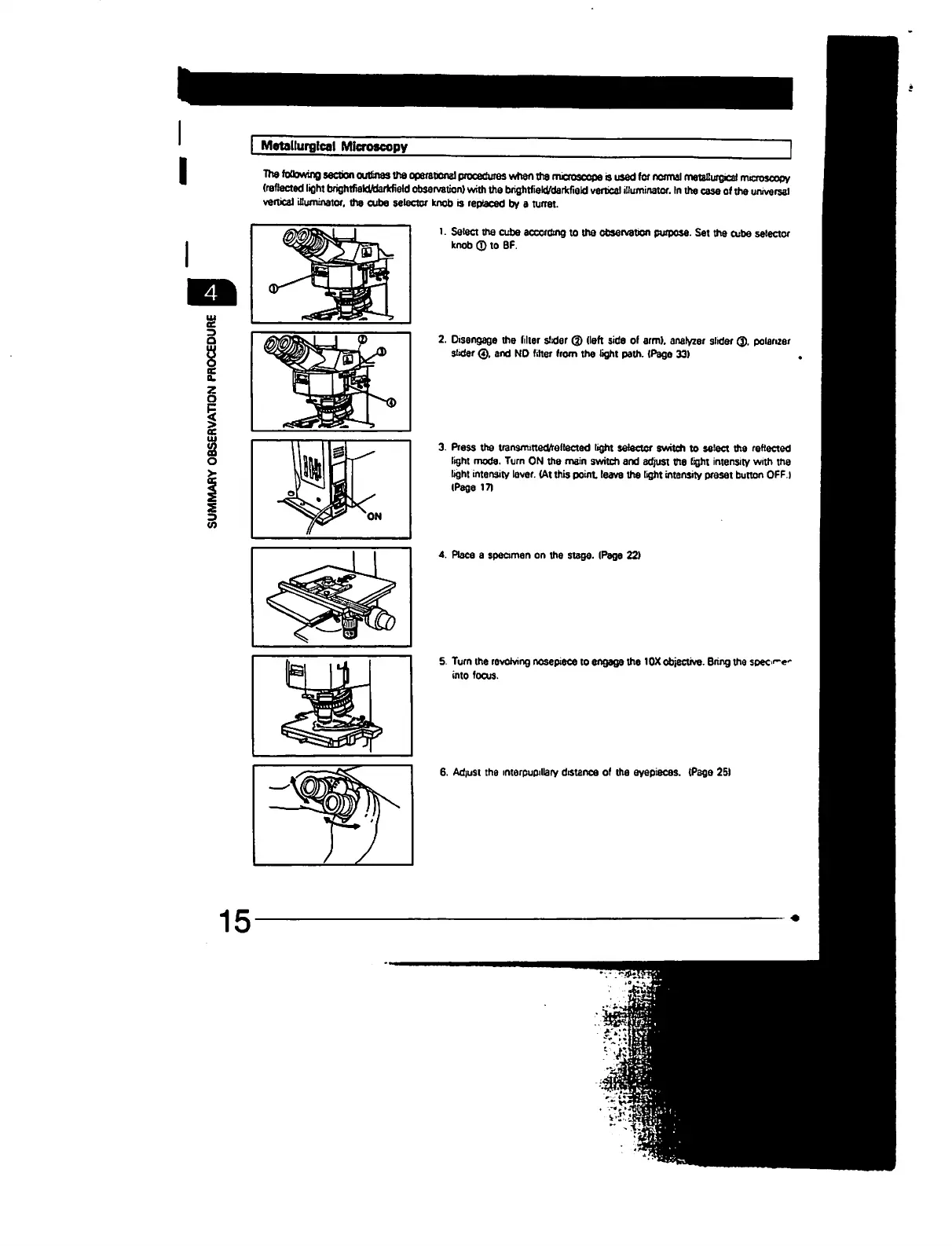
Metallurgical
Microscopy
The
following
section
outlines
the
operational
procedures
when
the
microscope
o
used
to
normal
metallurgical
rrucroscopy
(reflected
light
brigritfteldAJarkfield
observation)
with
the
brightfield/darkfiald
vertical
illuminator.
In
the
case
of
the
universal
vertical
illuminator.
the
cube
selector
knob
is
replaced
by
a
turret.
l.
Select
the
cube
according
to
the
observation
purpose.
Set
the
cube
selector
knob
©
to
BF.
I
2
m
15
2.
Disengage
the
filter
slider
©
(left
side of
arm),
analyzer
i
slider
0.
and
NO
filter
from
the
light
path.
(Page
33)
3.
Press
the
transmitted/reflected
light
selector
switch
to
select
the
reflected
light
mode.
Turn
ON
the
main
switch
and
adjust
the
light
intensity
with
the
light
intensity
lever.
(At
this
point
leave
the
light
intensity
preset button
OFF.)
(Page
171
4.
Place a
specimen
on
the
stage.
(Page
22)
5.
Turn
the
revolving
nosepiece
to
engage
the
10X
objective.
Bring the
specie'
into
focus.
6.
Adiusi
the
mterpupillary
distance
of
the
eyepieces.
(Page
2SI

Table of Contents

Other manuals for Olympus BX60

Related product manuals