55
EN
5
Focusing and shooting functions
Registering the AF target position
You can register the position of a frequently used AF target. You can then quickly load that
registered setting (“home position”) and use it when shooting.
Registering
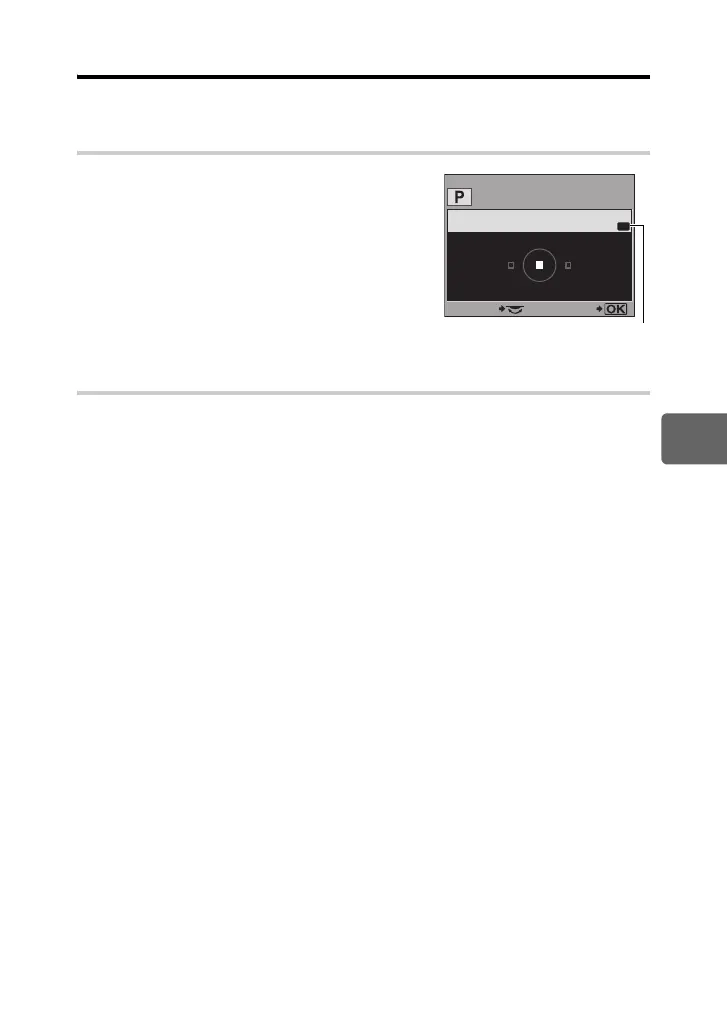
1 When selecting an AF target, press the < button
and the F button at the same time.
• The home position is registered at the time the buttons
are pressed.
• The home position cannot be registered when
operated from a menu.
Shooting
To use this function, you must assign the [P HOME] function to the < button in advance.
g“; FUNCTION” (P. 91)
1 Press the < button.
• The registered home position is selected. Press again to return to the original position.
AF AREA
HP
SELECT GO
Indicates that the AF target
is being registered.
s0018_e_00_0_unified.book Page 55 Tuesday, March 18, 2008 4:08 PM













 To Next Page