63
EN
6
Record mode, white balance, and picture mode
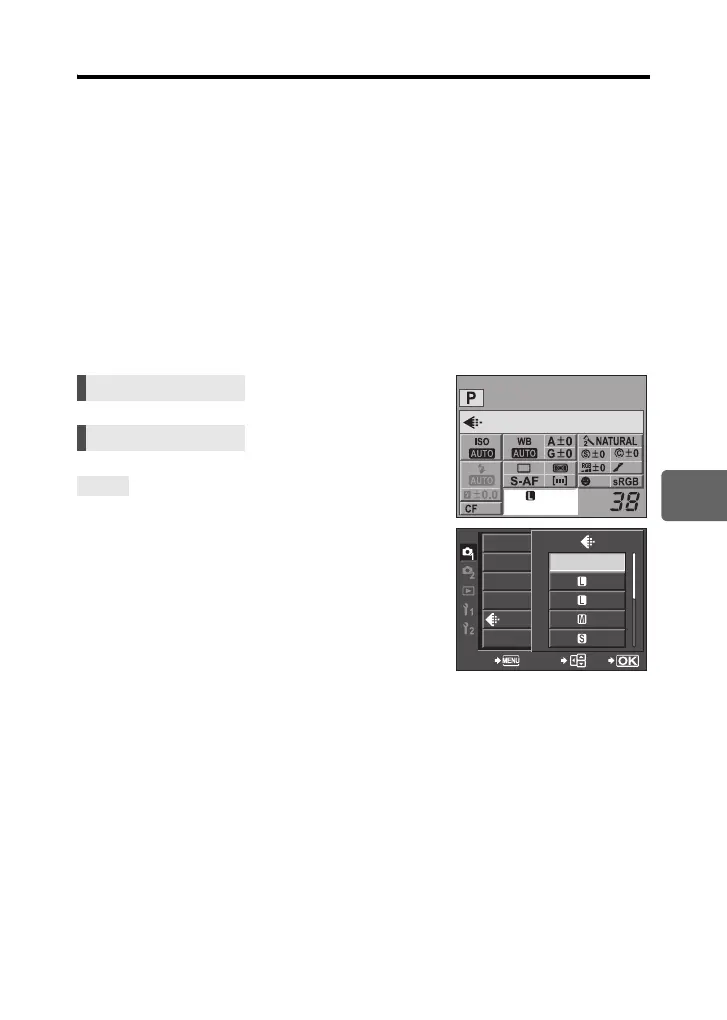
Selecting the record mode
JPEG
For JPEG, you can register 4 combinations of images sizes (Y, X, W) and compression
rates (SF, F, N, B) from the 12 total combinations available. g“K SET” (P. 96)
When you select the X or W image size, you can further select the pixel size.
g“PIXEL COUNT” (P. 96)
RAW+JPEG
Records both a JPEG and RAW image at the same time each time you take a picture.
RAW
Records the image in RAW data format.
e.g.) The following 9 record modes are available when YF/YN/XN/WN are registered
RAW : RAW
JPEG : YF/YN/XN/WN
RAW+JPEG : RAW+YF/RAW+YN/RAW+XN/RAW+WN
To quickly set the record mode:
j By setting [RAWK] to the < button, you can turn the
control dial while pressing the < button to change the
record mode.
Each time you press the < button, you can easily switch
between JPEG data only and JPEG and RAW data.
g“; FUNCTION” (P. 91)
To find out the file size/number of storable still
pictures for each record mode:
j “Record mode and file size/number of storable still
pictures” (gP. 128)
Super control panel ip: [K]
Menu MENU[W][K]
TIPS
arge
Normal
OFF
CARD SETUP
CUSTOM RESET
PICTURE MODE
GRADATION
WB
CANCEL SELECT
GO
F
N
N
N
RAW
s0018_e_00_0_unified.book Page 63 Tuesday, March 18, 2008 4:08 PM













 To Next Page