64
EN
Shooting
2
3
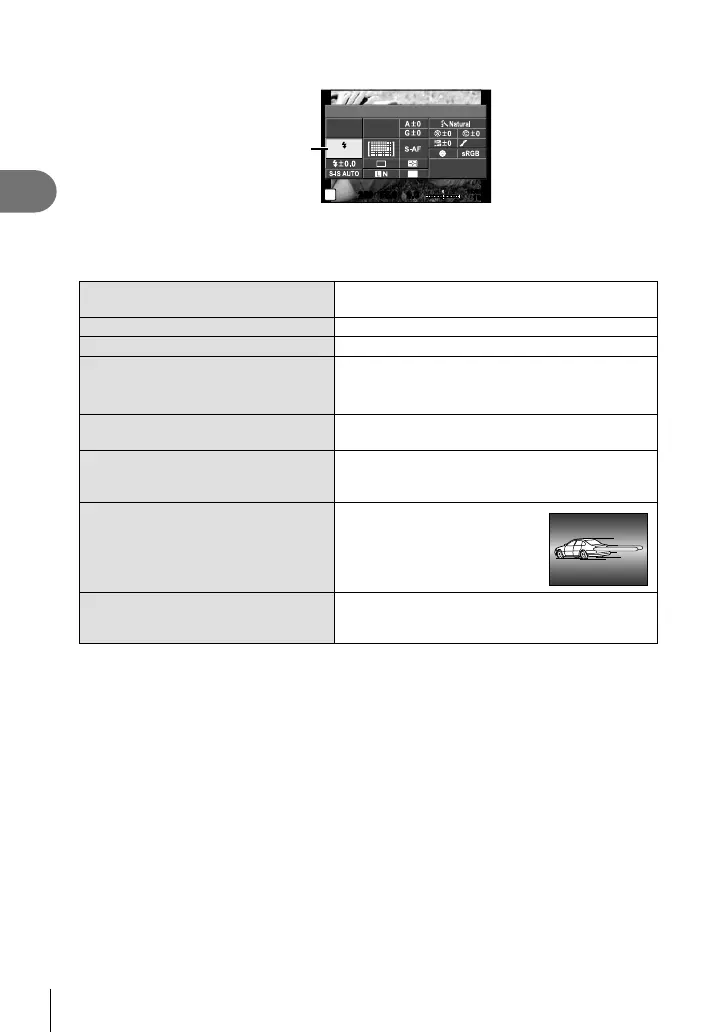
Press the Q button and select fl ash mode.
250250 F5.6
P
i
Flash Mode
NORM
ISO
AUTO
AUTO
WB
AUTO
4:3
0.00.0
01:02:0301:02:03
10231023
AEL/AFL
U
Flash mode
4
Select an item using the front dial and press the Q button.
• The options available and the order in which they are displayed vary depending on
the shooting mode. g “Flash modes that can be set by shooting mode” (P. 65)
AUTO Auto fl ash
The fl ash fi res automatically in low light or
backlight conditions.
#
Fill-in fl ash The fl ash fi res regardless of the light conditions.
$
Flash off The fl ash does not fi re.
!/
#!
Red-eye reduction fl ash
This function allows you to reduce the red-eye
phenomenon. In S and M modes, the fl ash
always fi res.
#SLOW
Slow synchronization
(1st curtain)
Slow shutter speeds are used to brighten dimly-lit
backgrounds.
!SLOW
Slow synchronization
(1st curtain)/Red-eye
reduction fl ash
Combines slow synchronization with red-eye
reduction.
#SLOW2/
2nd
Curtain
Slow synchronization
(2nd curtain)
The fl ash fi res just before the
shutter closes to create trails
of light behind moving light
sources.
#FULL,
#1/4 etc.
Manual
For users who prefer manual operation. If you
press the INFO button, you can use the dial to
adjust the fl ash level.
Cautions
• In [!/#!(Red-eye reduction fl ash)], after the pre-fl ashes, it takes about 1 second
before the shutter is released. Do not move the camera until shooting is complete.
• [!/#!(Red-eye reduction fl ash)] may not work effectively under some shooting
conditions.
• When the fl ash fi res, the shutter speed is set to 1/250 sec. or slower. When shooting
a subject against a bright background with the fi ll-in fl ash, the background may be
overexposed.





 To Next Page