87
Maintenance
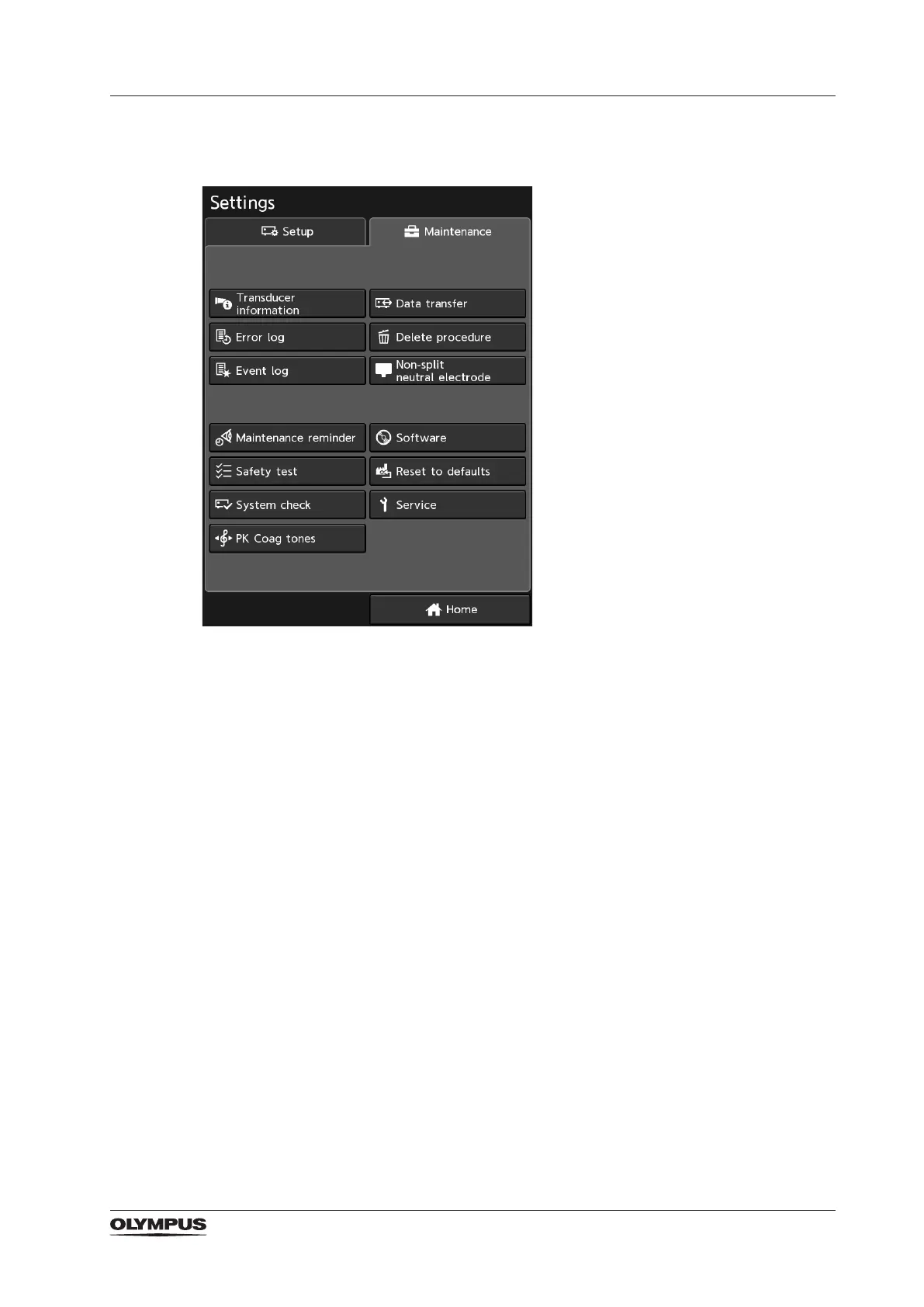
11.2 Maintenance settings
The 6 buttons in the upper pane are addressed mainly to the physician and the medical
personnel. Whereas the 7 buttons in the lower pane provide settings that are intended for
the maintenance or service personnel.
The following subsections provide information on each function behind the buttons.
11.2.1 Data transfer
This function allows to export or import data to or from an USB ash drive that is connected
to the rear of the ESG-410.
Export of settings
The currently selected settings, except for the Baby neutral electrode setting and the
Autostart delay setting, are transferred to the USB ash drive. In detail these are:
‒ Language setting
‒ Volume level for activation tones
‒ Brightness level of touchscreen
‒ Touch tone setting
‒ Setting for date/time/format
‒ Set of monopolar modes
‒ Startup settings
‒ Non-split neutral electrode setting
‒ Maintenance reminder
Export of user-dened procedures
All user-dened procedures (including the baby neutral electrode setting and the Autostart
delay setting) are transferred to the USB ash drive.


 To Next Page