EasyManua.ls Logo

Olympus IPLEX NX - User Manual

Olympus IPLEX NX
16 pages
Print Icon
To Next Page IconTo Next Page
Loading...
1
IPLEX NX Operation Manual
This product can be set up easily for inspection to be performed immediately.
Simply follow the six steps below to complete the setup.
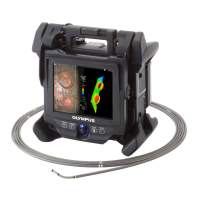
Hold the handle of the NX main unit to take out from the carrying case.
This instrument is intended for inspecting and observing the interior of machinery, equipment, materials,
and other objects,without damaging the object being inspected.
The symbols used in the texts of this manual have following meanings:
[ ] indicates the words on the user interface of the product displayed in English.
< > indicates the words on the user interface of the product and the language displayed is selectable by user settings.
1. Remove components from the carrying case
Before handling this product, please read through and follow the instructions and precautions in
the instruction manual of the IPLEX NX.
This operation manual is an excerpt from the descriptions and instructions in the instruction
manual of the IPLEX NX, which include the setup procedures during the use of the product, the
functions of the basic operating components, descriptions on the indicator and menu displays,
and safety precautions.
MM2693 05
Intended use
Setting up the IPLEX NX
Industrial Endoscope
Handle of the NX main unit
Question and Answer IconNeed help?

Do you have a question about the Olympus IPLEX NX and is the answer not in the manual?

Overview

This document serves as an operation manual for the IPLEX NX, an industrial endoscope designed for inspecting and observing the interior of machinery, equipment, materials, and other objects without causing damage. It is an excerpt from the full instruction manual, focusing on setup procedures, basic operating components, indicator and menu displays, and safety precautions.

Function Description:

The IPLEX NX is an industrial endoscope used for non-destructive internal inspection. It allows users to visually examine the inside of various objects, providing clear images and facilitating detailed analysis. The device supports both still image and movie recording, with options for adding titles, notes, and file name markings to recorded media. It features angulation control for precise positioning of the insertion tube, and various optical adapters can be attached to suit different inspection needs. The system incorporates wireless communication capabilities for transferring recorded data to a cloud server.

Important Technical Specifications:

While specific numerical specifications like dimensions, weight, or resolution are not detailed in this excerpt, the manual highlights several key technical aspects:

  • Media Recording: The device records images and movies to an SDHC card or USB flash drive.
  • Optical Adapters: The system utilizes different optical adapters (e.g., 6-mm type, 4-mm type, 6.2-mm type) which are attached to the distal end of the insertion tube. These adapters can be configured for monocular or binocular image display.
  • Illumination: The IPLEX NX uses fluorescence (white light) emitted from a phosphor excited by a laser beam for illumination. The laser beam itself is not emitted from the product. The illumination is high intensity to ensure sufficient brightness for observation.
  • Battery: The device is powered by a Li-ion battery. Recommended operating temperature ranges for the battery are: discharging (-10 °C to 40 °C), charging (0 °C to 45 °C), and storage (-20 °C to 60 °C).
  • Angulation: The device features an [ANGLE/LOCK] joystick for angulation operation, allowing the user to bend and lock the angulation section. The angulation speed can be adjusted (SLOW, STANDARD, FAST).
  • Display: The device includes an LCD monitor for viewing live images, recorded media, and menu displays.
  • Connectivity: Supports wireless communication for data transfer and includes a USB port for flash drives.
  • Safety Standards: Information of IEC62471 indicates a RISK GROUP2 classification, warning of "Possibly hazardous optical radiation emitted from this product. Do not stare at operating lamp. May be harmful to the eyes."

Usage Features:

  • Easy Setup: The product is designed for quick setup, allowing immediate inspection after following a few simple steps, including removing components from the carrying case, preparing the power supply (battery or AC adapter), attaching the scope unit, and attaching the optical adapter.
  • Intuitive Controls: Features clearly labeled buttons such as [POWER], [LIGHT], [ROTATE], [ANGLE SEL/CENTER], [FREEZE], and [RECORD], along with an [ANGLE/LOCK] joystick for angulation.
  • LCD Monitor Display: The LCD monitor provides comprehensive information, including folder name, optical adapter name, distal end temperature, warming-up icon, zoom level, date/time, wider icon, title, logo, angle centering icon, angle lock icon, external input icon, manual icon, battery indicator, freeze icon, recording movie icon, menu icon, live icon, view icon, thumbnail icon, spot ranging icon, measure icon, move icon, and enter icon.
  • Menu System: A user-friendly menu system allows access to various settings, categorized under main menus like , <white balance="">, <image mode=""/>, <record mode="">, <system setup="">, <delete>, <move file="">, <rename file="">, <change folder="">, <make folder="">, <rename folder="">, <batch transfer="">, <note>, <compare>, and <ghost>.</ghost></compare></note></batch></rename></make></change></rename></move></delete></system></record></white>
  • Image Adjustment: Users can adjust image sharpness, saturation, enable a WIDER function, and apply noise reduction.
  • Recording Options: Allows recording of still images and movies, with options to add markings to file names, record sound, and select recording media (SDHC card or USB flash drive).
  • Data Management: Features for deleting, moving, renaming files, changing folders, creating new folders, and batch transferring files to a cloud server.
  • On-screen Keyboard: Provides an on-screen keyboard for inputting titles, with options for preset titles.
  • Strap Usage: Includes a shoulder strap for comfortable carrying and operation.
  • Comparison and Ghost Screens: Offers features to display comparison screens and ghost screens for detailed analysis.

Maintenance Features:

  • Battery Care: Emphasizes correct battery insertion, removal, and storage to prevent fluid leakage, heat generation, or damage. It also specifies recommended temperature ranges for optimal battery performance and service life.
  • Cleaning: Advises wiping dirty battery electrodes with a dry cloth to prevent contact failure.
  • Storage Precautions: Provides guidelines for storing the instrument and scope unit, including ensuring the distal end has cooled down, winding the insertion tube around the drum, and removing the battery if not used for a long time.
  • Environmental Considerations: Warns against using or storing the instrument in environments with high temperature, humidity, dust, direct sunlight, radiation, or halide gases to prevent damage.
  • Condensation Management: Instructs users to allow the instrument to dry if condensation occurs due to sudden temperature changes.
  • Insertion Tube Care: Cautions against inserting the insertion tube into objects in operation, conducting electricity, or environments exceeding operating temperature. It also warns against bending the insertion tube beyond its minimum bend radius.
  • Optical Adapter Care: Stresses the importance of attaching the O-ring to the insertion tube's distal end before using the optical adapter to prevent water ingress. It also advises against cleaning the optical adapter under running water.
  • Hook Assembly: Provides detailed precautions for replacing and using the hook assembly, including not reusing removed hooks, ensuring proper threading, and using only specified tools.
  • General Safety: Highlights the importance of observing all safety precautions, including not repairing, disassembling, or remodeling the instrument, stopping use at the first sign of abnormality, and using only specified power cords and AC adapters.

Olympus IPLEX NX Specifications

General IconGeneral
BrandOlympus
ModelIPLEX NX
CategoryAnalytical Instruments
LanguageEnglish

Related product manuals